Ana içeriğe atla

How to find the overview of your bots

This tutorial shows you where you can find an overview of your bots.

Prerequisites

Before you begin, check the following:

Find the overview of your bots

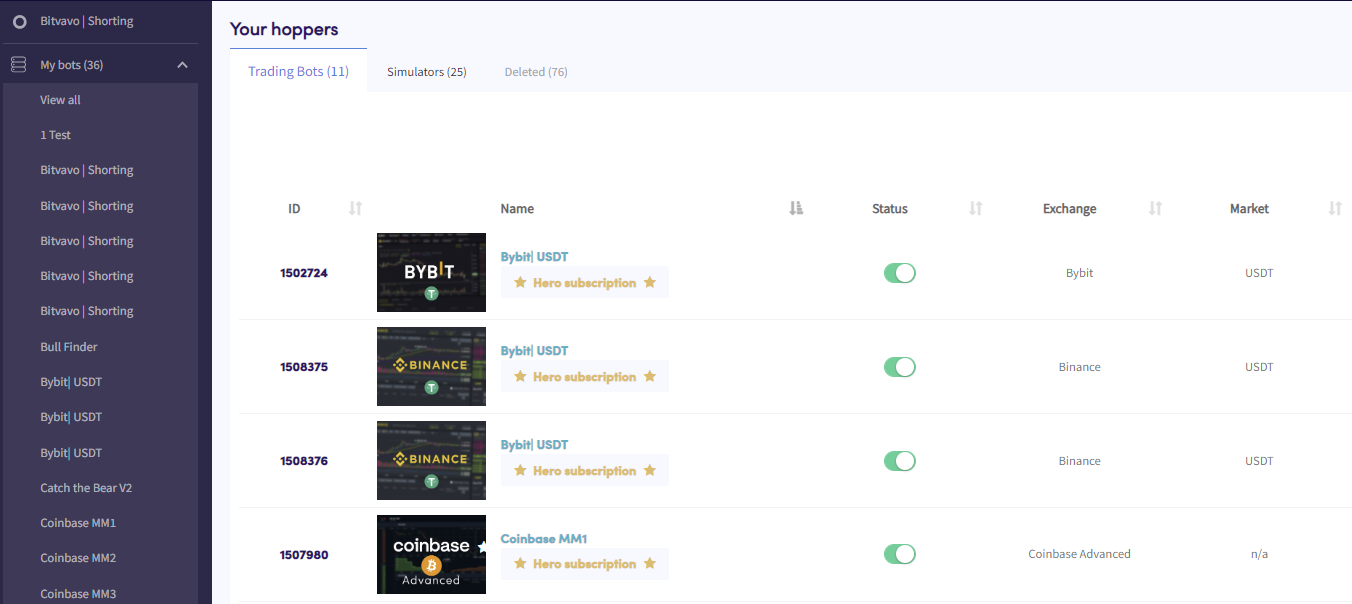
Bots overview

  1. Click in the top left section in your menu called “My bots”.
  2. Click “View all”.
  3. Click “Trading Bots”, “Simulators” or “Deleted” to see an overview of these types of bots.

Bu makale yardımcı oldu mu?

İçindekiler

Yardıma mı ihtiyacın var?

Sorunun cevabını bulamıyor musun?S.S.S.'ye BakDestek ile iletişime geç

Cryptohopper ile ücretsiz işlem yapmaya başla!

Kullanımı ücretsiz – kredi kartı gerekmiyor

Let's get started
Yakında yeni uygulamalar geliyor!