Wie du die Übersicht über deine Bots findest
Dieser Leitfaden zeigt dir, wo du eine Übersicht über alle deine Bots findest.
Voraussetzungen
- Ein Cryptohopper-Konto.
- Einer oder mehrere funktionierende Bots.
Schritte
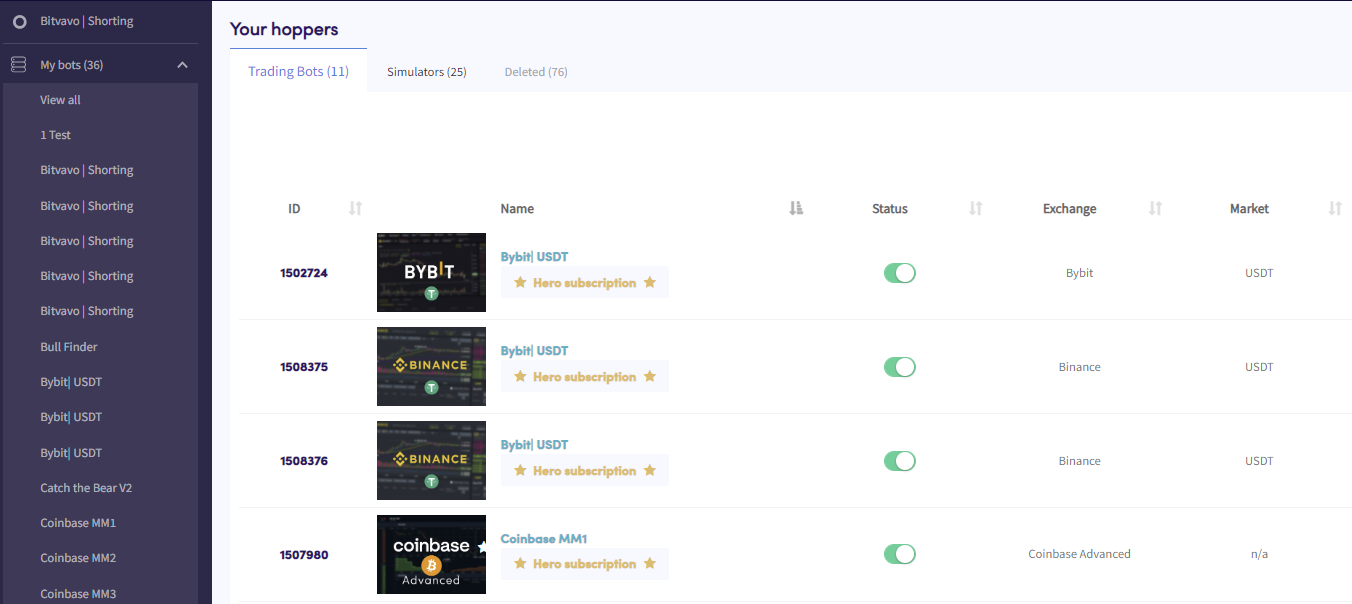
- Klicke im Menü oben links auf "Meine Bots".
- Klicke auf "Alle anzeigen".
- Klicke auf "Trading-Bots", "Simulatoren" oder "Gelöscht", um nach Bot-Typ zu filtern.