Přejít na hlavní obsah

How to find the overview of your bots

This tutorial shows you where you can find an overview of your bots.

Prerequisites

Before you begin, check the following:

Find the overview of your bots

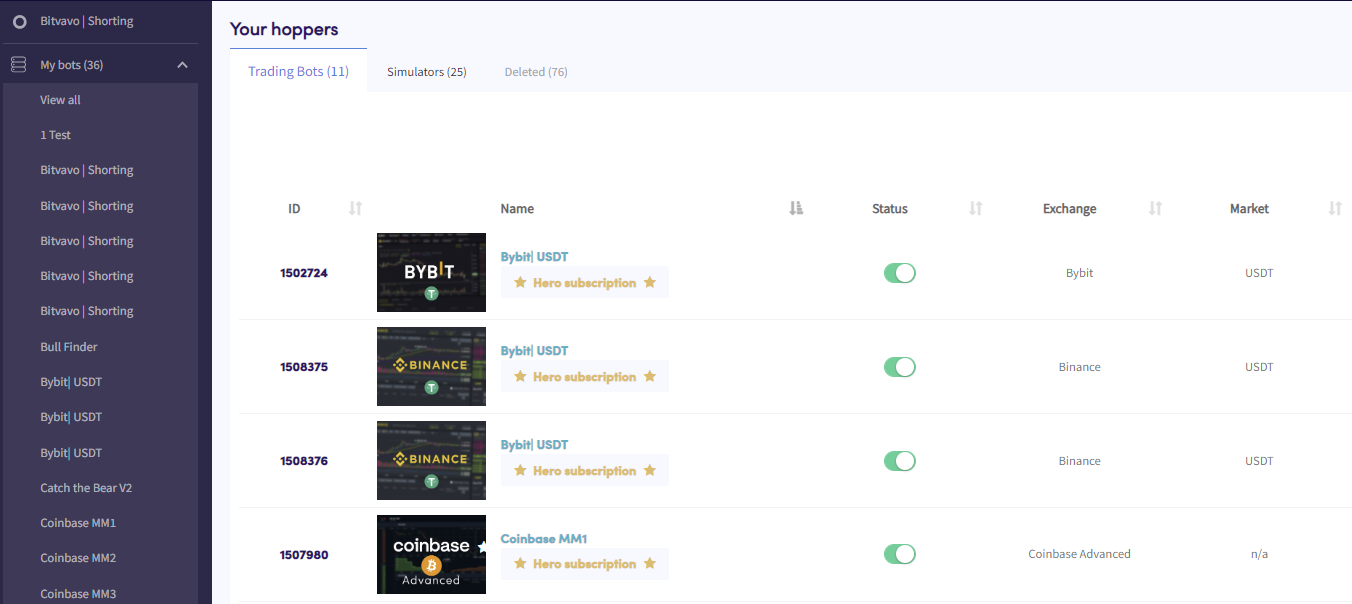
Bots overview

  1. Click in the top left section in your menu called “My bots”.
  2. Click “View all”.
  3. Click “Trading Bots”, “Simulators” or “Deleted” to see an overview of these types of bots.

Byl tento článek užitečný?

Obsah

Potřebuješ pomoc?

Nemůžeš najít odpověď na svou otázku?Podívej se na F.A.Q.Kontaktovat podporu

Začni obchodovat s Cryptohopperem zdarma!

Zdarma k použití – kreditní karta není potřeba

Let's get started
Nové aplikace již brzy!