Jak znaleźć przegląd swoich botów
Ten przewodnik pokazuje, gdzie znajdziesz przegląd wszystkich swoich botów.
Wymagania wstępne
- Konto Cryptohopper.
- Jeden lub więcej działających botów.
Kroki
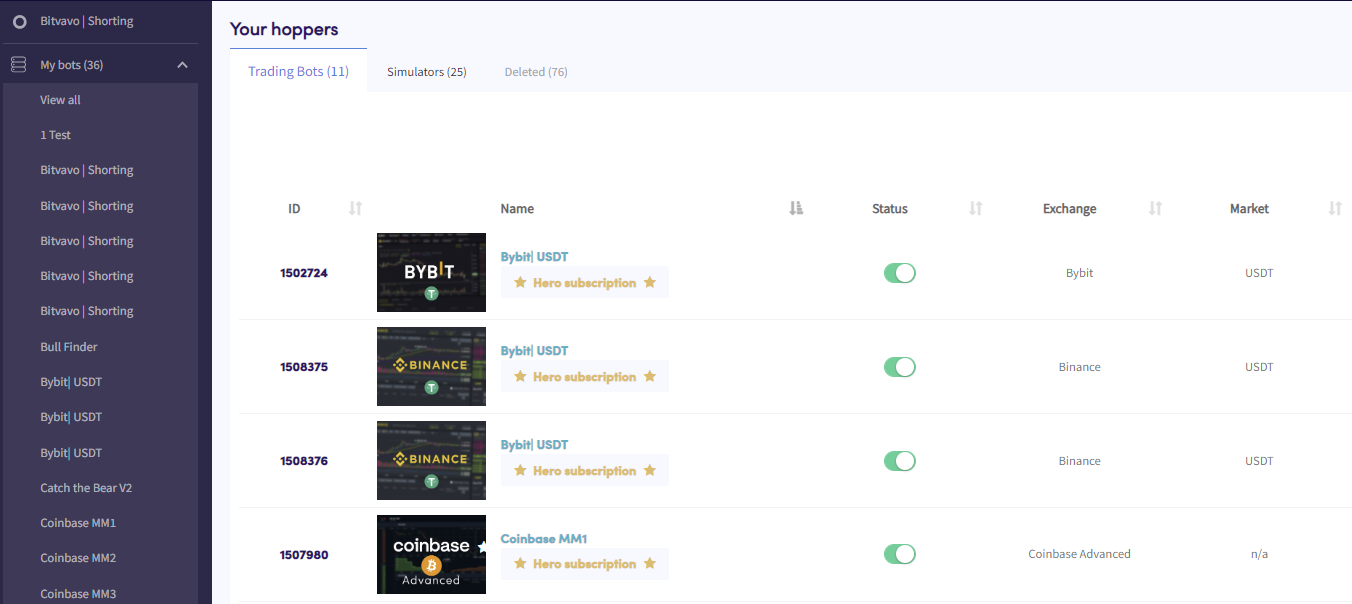
- W menu w lewym górnym rogu kliknij "Moje boty".
- Kliknij "Wyświetl wszystkie".
- Kliknij "Boty handlowe", "Symulatory" lub "Usunięte", aby filtrować według typu bota.