Vai al contenuto principale

How to find the overview of your bots

This tutorial shows you where you can find an overview of your bots.

Prerequisites

Before you begin, check the following:

Find the overview of your bots

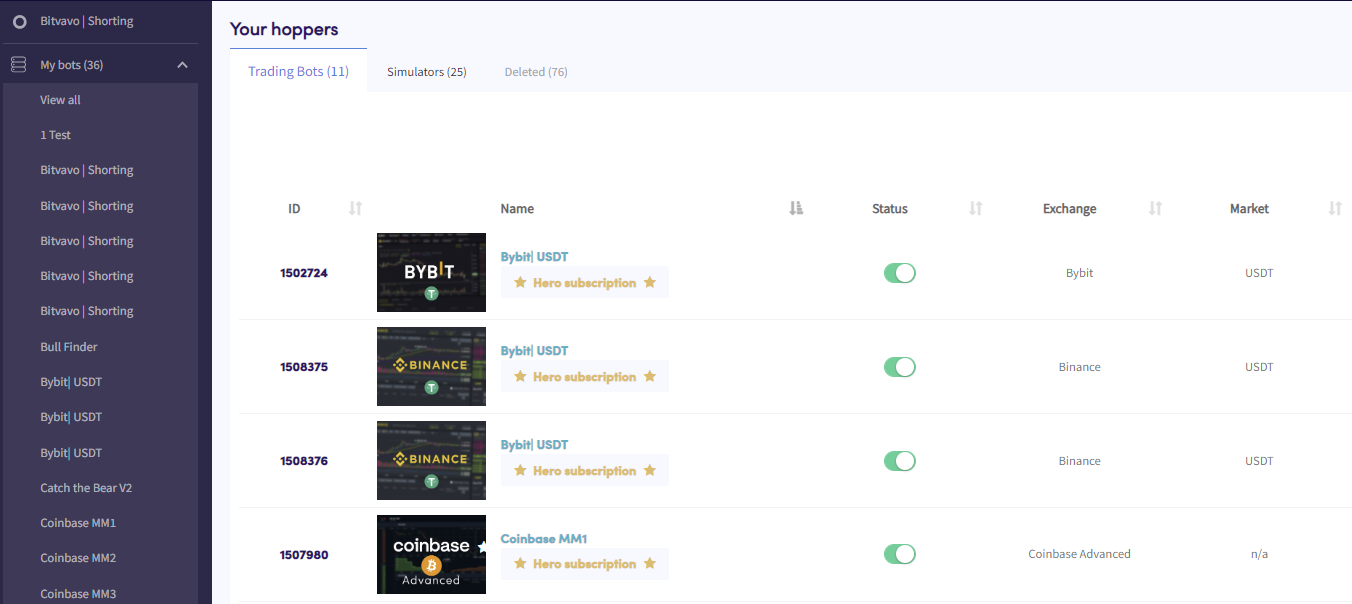
Bots overview

  1. Click in the top left section in your menu called “My bots”.
  2. Click “View all”.
  3. Click “Trading Bots”, “Simulators” or “Deleted” to see an overview of these types of bots.

Questo articolo ti è stato utile?

Contenuti

Hai bisogno di aiuto?

Non riesci a trovare la risposta alla tua domanda?Controlla le F.A.Q.Contatta il supporto

Inizia a fare trading con Cryptohopper gratuitamente!

Gratuito – non è richiesta carta di credito

Let's get started
Nuove app in arrivo!