Como encontrar a visão geral dos seus bots
Este guia mostra onde encontrar uma visão geral de todos os seus bots.
Pré-requisitos
- Uma conta Cryptohopper.
- Um ou mais bots funcionando.
Etapas
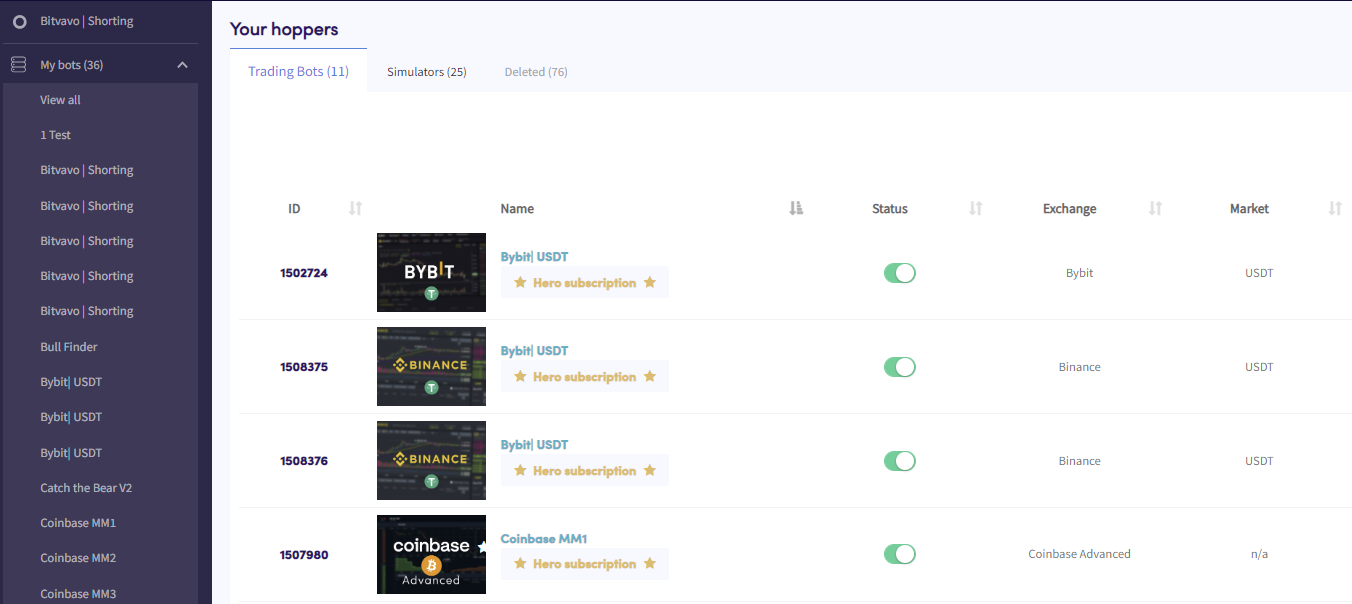
- No menu superior esquerdo, clique em "Meus bots".
- Clique em "Ver todos".
- Clique em "Bots de Trading", "Simuladores" ou "Excluídos" para filtrar por tipo de bot.