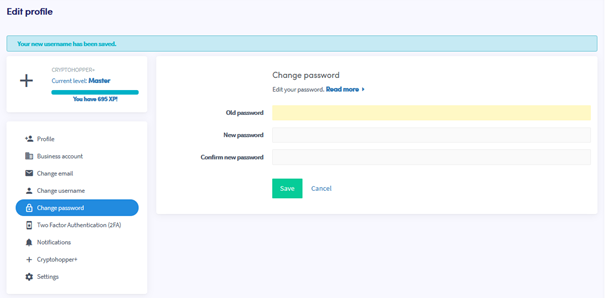
Como alterar sua senha
Este guia mostra como alterar a senha da sua conta Cryptohopper.
Pré-requisitos
- Uma conta Cryptohopper.
- Acesso à sua senha atual. Se você esqueceu, consulte Como redefinir sua senha.
Etapas
- Faça login na sua conta Cryptohopper.
- Clique no botão de perfil no canto superior direito.
- Clique em "Minha conta".
- Clique em "Perfil do Usuário".
- Clique em "Alterar senha".
- Preencha todos os campos obrigatórios.
- Clique em "Salvar".
dica
Se você não receber o e-mail de confirmação, verifique sua pasta de spam.