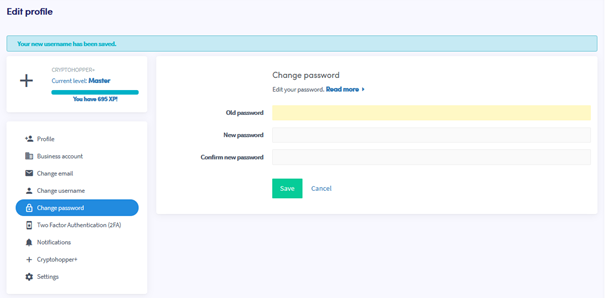
Jak zmienić swoje hasło
Ten przewodnik pokazuje, jak zmienić hasło do konta Cryptohopper.
Wymagania wstępne
- Konto Cryptohopper.
- Dostęp do swojego obecnego hasła. Jeśli je zapomniałeś, zobacz Jak zresetować swoje hasło.
Kroki
- Zaloguj się do swojego konta Cryptohopper.
- Kliknij przycisk profilu w prawym górnym rogu.
- Kliknij "Moje konto".
- Kliknij "Profil użytkownika".
- Kliknij "Zmień hasło".
- Wypełnij wszystkie wymagane pola.
- Kliknij "Zapisz".
wskazówka
Jeśli nie otrzymasz e-maila potwierdzającego, sprawdź folder ze spamem.