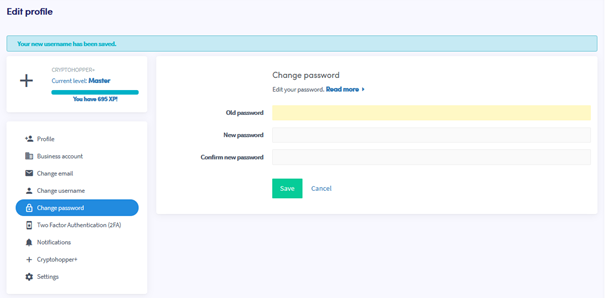
Wie du dein Passwort änderst
Diese Anleitung zeigt dir, wie du dein Cryptohopper-Konto-Passwort ändern kannst.
Voraussetzungen
- Ein Cryptohopper-Konto.
- Zugriff auf dein aktuelles Passwort. Wenn du es vergessen hast, siehe Wie du dein Passwort zurücksetzt.
Schritte
- Melde dich bei deinem Cryptohopper-Konto an.
- Klicke auf die Profil-Schaltfläche in der oberen rechten Ecke.
- Klicke auf "Mein Konto".
- Klicke auf "Benutzerprofil".
- Klicke auf "Passwort ändern".
- Fülle alle erforderlichen Felder aus.
- Klicke auf "Speichern".
Tipp
Wenn du die Bestätigungs-E-Mail nicht erhältst, prüfe deinen Spam-Ordner.