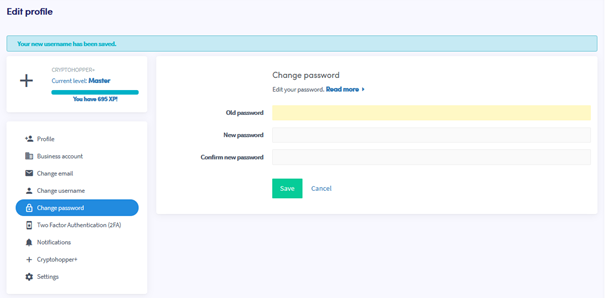
Come cambiare la tua password
Questa guida ti mostra come cambiare la password del tuo account Cryptohopper.
Prerequisiti
- Un account Cryptohopper.
- Accesso alla tua password attuale. Se l'hai dimenticata, vedi Come reimpostare la tua password.
Passaggi
- Accedi al tuo account Cryptohopper.
- Clicca sul pulsante del profilo nell'angolo in alto a destra.
- Clicca su "Il mio account".
- Clicca su "Profilo Utente".
- Clicca su "Cambia password".
- Compila tutti i campi richiesti.
- Clicca su "Salva".
suggerimento
Se non ricevi l'email di conferma, controlla la cartella spam.