How to change your password
This guide shows you how to change your Cryptohopper account password.
Prerequisites
- A Cryptohopper account.
- Access to your current password. If you've forgotten it, see How to reset your password.
Steps
- Log in to your Cryptohopper account.
- Click the profile button in the top-right corner.
- Click "My account".
- Click "User Profile".
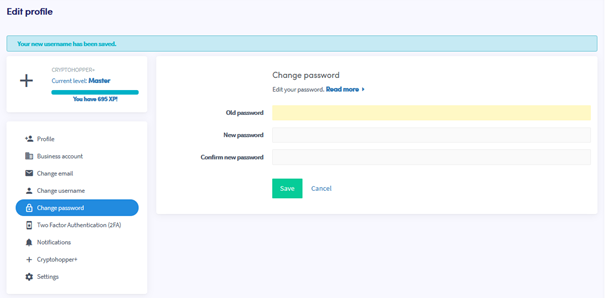
- Click "Change password".
- Fill in all the required fields.
- Click "Save".
提示
If you don't receive the confirmation email, check your spam folder.