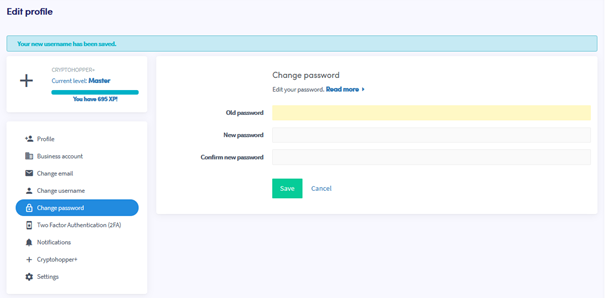
Hoe je jouw wachtwoord wijzigt
Deze gids laat je zien hoe je jouw Cryptohopper-accountwachtwoord wijzigt.
Vereisten
- Een Cryptohopper-account.
- Toegang tot je huidige wachtwoord. Als je het bent vergeten, zie Hoe je jouw wachtwoord opnieuw instelt.
Stappen
- Log in op je Cryptohopper-account.
- Klik op de profielknop in de rechterbovenhoek.
- Klik op "Mijn account".
- Klik op "Gebruikersprofiel".
- Klik op "Wachtwoord wijzigen".
- Vul alle vereiste velden in.
- Klik op "Opslaan".
tip
Als je de bevestigingsmail niet ontvangt, controleer dan je spammap.