How to set up a Zap
This guide shows you how to create a Zap connecting Cryptohopper to another application.
Prerequisites
Steps
- Go to your Cryptohopper account and click "Marketplace".
- Click "Apps".
- Click "Zapier".
- Click "Go to Zapier" and log in.
- Accept the invitation to use Cryptohopper on Zapier by clicking "Accept and build a Zap".
- Click "Make a Zap".
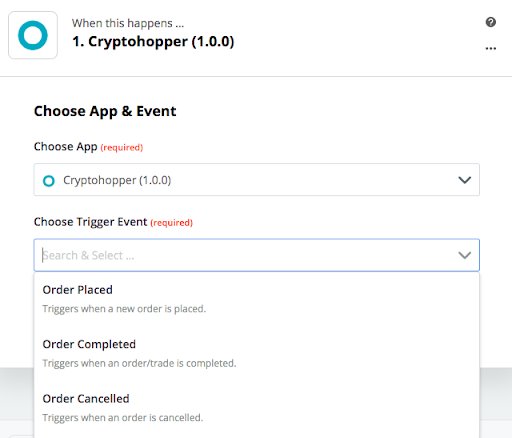
- Under "1. When this happens", type and select "Cryptohopper".
- Choose the Action and select your account, then click "Continue".
- Under "2. Do this", select the application you want to connect to.
- Follow the setup steps, then test the Zap or skip the test.
- Click "Turn Zap on".