Wie man ein Zap einrichtet
Diese Anleitung zeigt dir, wie du ein Zap erstellst, das Cryptohopper mit einer anderen Anwendung verbindet.
Voraussetzungen
- Ein Cryptohopper-Konto.
- Ein Zapier-Konto.
Schritte
- Gehe zu deinem Cryptohopper-Konto und klicke auf "Marketplace".
- Klicke auf "Apps".
- Klicke auf "Zapier".
- Klicke auf "Go to Zapier" und melde dich an.
- Akzeptiere die Einladung, Cryptohopper auf Zapier zu verwenden, indem du auf "Accept and build a Zap" klickst.
- Klicke auf "Make a Zap".
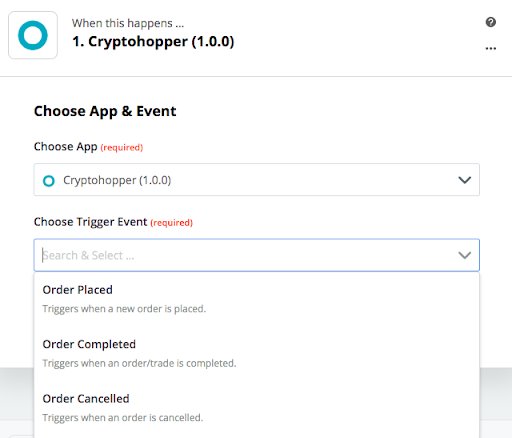
- Unter "1. When this happens" gibst du "Cryptohopper" ein und wählst es aus.
- Wähle die Aktion und wähle dein Konto aus, dann klicke auf "Continue".
- Unter "2. Do this" wählst du die Anwendung aus, mit der du dich verbinden möchtest.
- Folge den Einrichtungsschritten, teste dann das Zap oder überspringe den Test.
- Klicke auf "Turn Zap on".