Como configurar um Zap
Este guia mostra como criar um Zap conectando o Cryptohopper a outro aplicativo.
Pré-requisitos
- Uma conta Cryptohopper.
- Uma conta Zapier.
Etapas
- Acesse sua conta Cryptohopper e clique em "Marketplace".
- Clique em "Apps".
- Clique em "Zapier".
- Clique em "Ir para Zapier" e faça login.
- Aceite o convite para usar o Cryptohopper no Zapier clicando em "Aceitar e criar um Zap".
- Clique em "Criar um Zap".
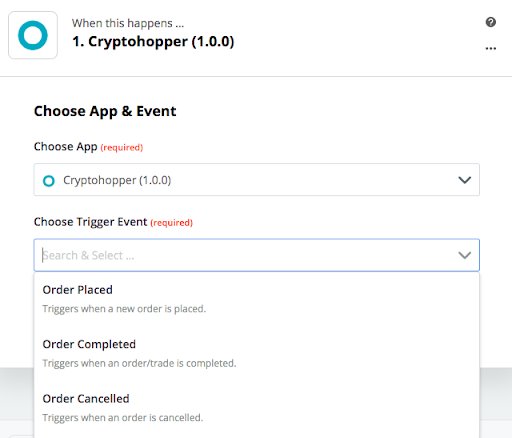
- Em "1. Quando isso acontecer", digite e selecione "Cryptohopper".
- Escolha a Ação e selecione sua conta, depois clique em "Continuar".
- Em "2. Faça isso", selecione o aplicativo que você deseja conectar.
- Siga as etapas de configuração, depois teste o Zap ou pule o teste.
- Clique em "Ativar Zap".