Cómo configurar un Zap
Esta guía te muestra cómo crear un Zap conectando Cryptohopper a otra aplicación.
Prerrequisitos
- Una cuenta de Cryptohopper.
- Una cuenta de Zapier.
Pasos
- Ve a tu cuenta de Cryptohopper y haz clic en "Marketplace".
- Haz clic en "Apps".
- Haz clic en "Zapier".
- Haz clic en "Ir a Zapier" e inicia sesión.
- Acepta la invitación para usar Cryptohopper en Zapier haciendo clic en "Aceptar y crear un Zap".
- Haz clic en "Crear un Zap".
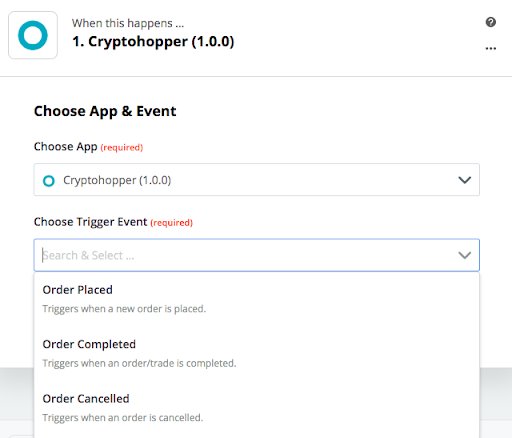
- En "1. Cuando esto suceda", escribe y selecciona "Cryptohopper".
- Elige la Acción y selecciona tu cuenta, luego haz clic en "Continuar".
- En "2. Haz esto", selecciona la aplicación a la que quieres conectarte.
- Sigue los pasos de configuración, luego prueba el Zap u omite la prueba.
- Haz clic en "Activar Zap".