Hoe je een Zap instelt
Deze handleiding laat je zien hoe je een Zap maakt die Cryptohopper verbindt met een andere applicatie.
Vereisten
- Een Cryptohopper-account.
- Een Zapier-account.
Stappen
- Ga naar je Cryptohopper-account en klik op "Marktplaats".
- Klik op "Apps".
- Klik op "Zapier".
- Klik op "Ga naar Zapier" en log in.
- Accepteer de uitnodiging om Cryptohopper op Zapier te gebruiken door op "Accepteren en een Zap bouwen" te klikken.
- Klik op "Maak een Zap".
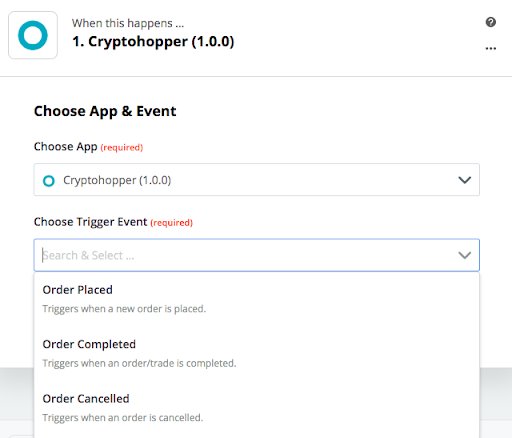
- Typ onder "1. Wanneer dit gebeurt" "Cryptohopper" en selecteer het.
- Kies de Actie en selecteer je account, klik dan op "Doorgaan".
- Selecteer onder "2. Doe dit" de applicatie waarmee je wilt verbinden.
- Volg de installatiestappen en test dan de Zap of sla de test over.
- Klik op "Zet Zap aan".