Comment configurer un Zap
Ce guide te montre comment créer un Zap connectant Cryptohopper à une autre application.
Conditions
- Un compte Cryptohopper.
- Un compte Zapier.
Étapes
- Va sur ton compte Cryptohopper et clique sur "Marketplace".
- Clique sur "Apps".
- Clique sur "Zapier".
- Clique sur "Go to Zapier" et connecte-toi.
- Accepte l'invitation à utiliser Cryptohopper sur Zapier en cliquant sur "Accept and build a Zap".
- Clique sur "Make a Zap".
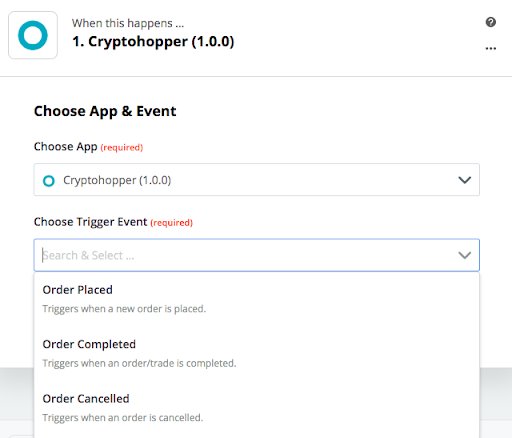
- Sous "1. When this happens", tape et sélectionne "Cryptohopper".
- Choisis l'Action et sélectionne ton compte, puis clique sur "Continue".
- Sous "2. Do this", sélectionne l'application que tu veux connecter.
- Suis les étapes de configuration, puis teste le Zap ou passe le test.
- Clique sur "Turn Zap on".