Come configurare uno Zap
Questa guida ti mostra come creare uno Zap che collega Cryptohopper a un'altra applicazione.
Prerequisiti
- Un account Cryptohopper.
- Un account Zapier.
Passaggi
- Vai al tuo account Cryptohopper e clicca su "Marketplace".
- Clicca su "App".
- Clicca su "Zapier".
- Clicca su "Vai a Zapier" e accedi.
- Accetta l'invito per utilizzare Cryptohopper su Zapier cliccando su "Accetta e crea uno Zap".
- Clicca su "Crea uno Zap".
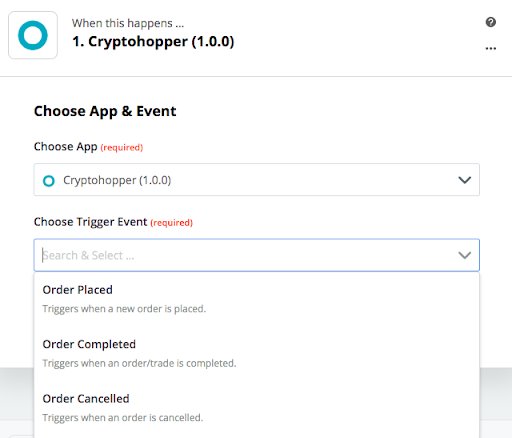
- Sotto "1. Quando questo accade", digita e seleziona "Cryptohopper".
- Scegli l'azione e seleziona il tuo account, quindi clicca su "Continua".
- Sotto "2. Fai questo", seleziona l'applicazione che vuoi collegare.
- Segui i passaggi di configurazione, poi testa lo Zap o salta il test.
- Clicca su "Attiva Zap".