Jak skonfigurować Zap
Ten przewodnik pokazuje, jak utworzyć Zap łączący Cryptohopper z inną aplikacją.
Wymagania wstępne
Kroki
- Przejdź do swojego konta Cryptohopper i kliknij "Rynek".
- Kliknij "Aplikacje".
- Kliknij "Zapier".
- Kliknij "Przejdź do Zapier" i zaloguj się.
- Zaakceptuj zaproszenie do korzystania z Cryptohopper w Zapier, klikając "Zaakceptuj i zbuduj Zap".
- Kliknij "Utwórz Zap".
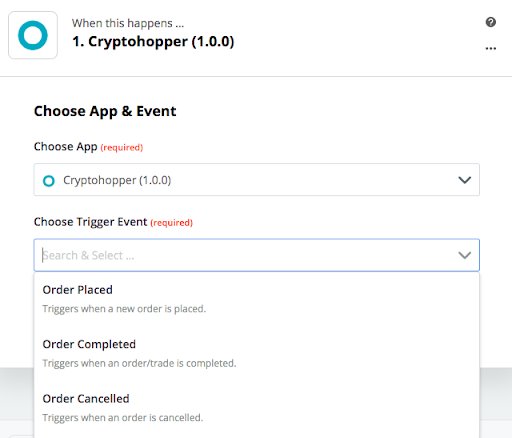
- W sekcji "1. Kiedy to się stanie", wpisz i wybierz "Cryptohopper".
- Wybierz Akcję i wybierz swoje konto, następnie kliknij "Kontynuuj".
- W sekcji "2. Zrób to", wybierz aplikację, którą chcesz połączyć.
- Postępuj zgodnie z krokami konfiguracji, następnie przetestuj Zap lub pomiń test.
- Kliknij "Włącz Zap".