Jak korzystać z profilu Cryptohopper
Ten przewodnik pokazuje, jak zaktualizować swój profil Cryptohopper.
Wymagania wstępne
Kroki
- Zaloguj się do swojego konta Cryptohopper.
- Kliknij przycisk profilu w prawym górnym rogu.
- Kliknij "Moje konto".
- Kliknij "Profil użytkownika".
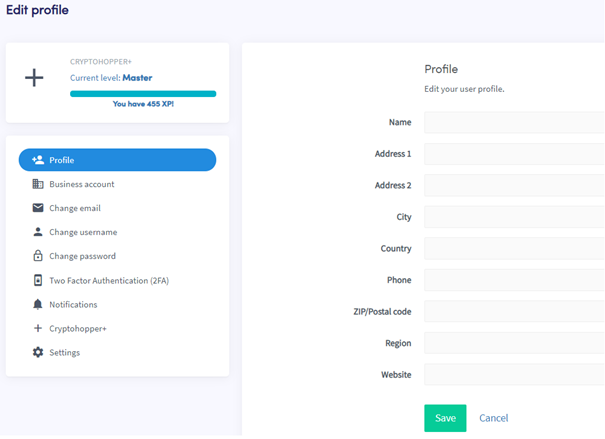
- Kliknij "Profil".
- Dodaj lub zaktualizuj swoje informacje.
- Kliknij "Zapisz".
Dodatkowe informacje
Wypełnienie danych osobowych jest wymagane z kilku powodów. Na przykład niektóre pola muszą być wypełnione, zanim będziesz mógł zakupić subskrypcję — wymagane pola są podświetlone na czerwono, gdy próbujesz zapisać bez ich wypełnienia. Dane osobowe są również wymagane, aby Cryptohopper mógł przestrzegać europejskich przepisów podatkowych.