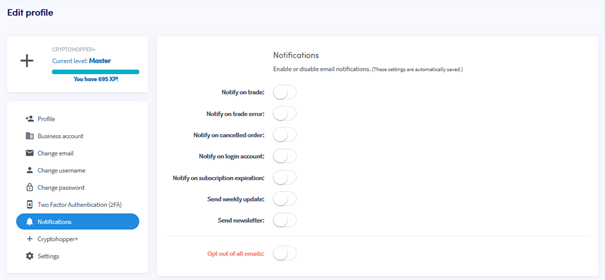
Hoe je e-mailmeldingen instelt
Deze handleiding laat je zien hoe je e-mailmeldingen instelt op jouw Cryptohopper-account.
Vereisten
- Een Cryptohopper-account.
Stappen
- Log in op jouw Cryptohopper-account.
- Klik op de profielknop in de rechterbovenhoek.
- Klik op "Mijn account".
- Klik op "Gebruikersprofiel".
- Klik op "Meldingen".
- Schakel de schakelaars in voor de meldingen die je wilt ontvangen.