Comment configurer les notifications par email
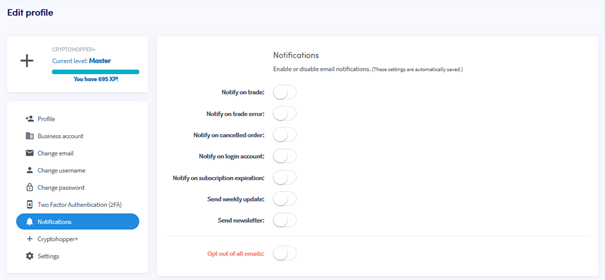
Ce guide te montre comment configurer les notifications par email sur ton compte Cryptohopper.
Conditions
Étapes
- Connecte-toi à ton compte Cryptohopper.
- Clique sur le bouton de profil dans le coin supérieur droit.
- Clique sur "Mon compte".
- Clique sur "Profil utilisateur".
- Clique sur "Notifications".
- Active les boutons à bascule pour les notifications que tu souhaites recevoir.