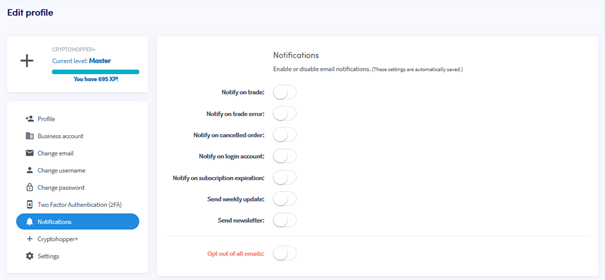
Come configurare le notifiche email
Questa guida ti mostra come configurare le notifiche email sul tuo account Cryptohopper.
Prerequisiti
Passaggi
- Accedi al tuo account Cryptohopper.
- Fai clic sul pulsante del profilo nell'angolo in alto a destra.
- Fai clic su "Il mio account".
- Fai clic su "Profilo Utente".
- Fai clic su "Notifiche".
- Attiva i toggle per le notifiche che vuoi ricevere.