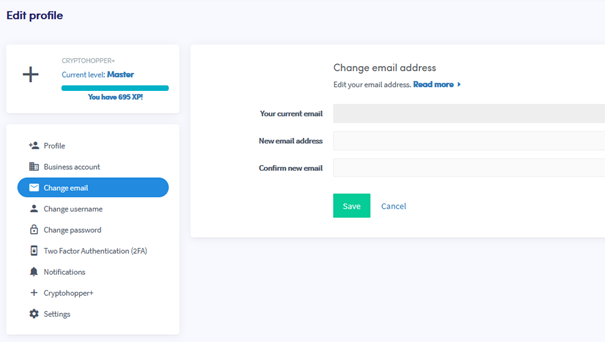
Hoe wijzig je jouw e-mailadres
Deze gids laat je zien hoe je het e-mailadres op jouw Cryptohopper-account kunt wijzigen.
Vereisten
- Een Cryptohopper-account.
Stappen
- Log in op jouw Cryptohopper-account.
- Klik op het profielpictogram in de rechterbovenhoek.
- Klik op "Mijn account".
- Klik op "Gebruikersprofiel".
- Klik op "E-mail wijzigen".
- Vul alle vereiste velden in.
- Klik op "Opslaan".
- Bevestig de e-mailwijziging door te klikken op de bevestigingslinks die naar zowel jouw oude als nieuwe e-mailadres zijn verzonden.