Comment configurer 2FA
Ce guide te montre comment configurer l'authentification à deux facteurs (2FA) sur ton compte Cryptohopper.
Conditions
- Un compte Cryptohopper.
- Une volonté d'ajouter une sécurité supplémentaire à ton compte.
Étapes
- Connecte-toi à ton compte Cryptohopper.
- Clique sur le bouton de profil dans le coin supérieur droit.
- Clique sur "Mon compte".
- Clique sur "Profil utilisateur".
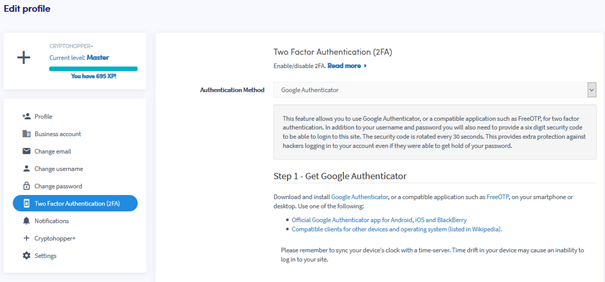
- Clique sur "Authentification à deux facteurs (2FA)".
- Sélectionne ta méthode d'authentification préférée.
- Suis les étapes requises pour la méthode choisie.
- Clique sur "Activer 2FA".
- Note tes codes de sécurité et conserve-les dans un endroit sûr.
astuce
Nous te recommandons vivement d'activer 2FA sur ton compte Cryptohopper.