Ana içeriğe atla

How to use the Bulk Bot Manager

This tutorial provides instructions on how to effectively manage multiple bots simultaneously using the Bulk Bot Manager feature.

Bulk_Manager

Prerequisites

Before utilizing the Bulk Bot Manager, ensure that you meet the following requirements:

How to use the Bulk Bot Manager

  1. Access the Marketplace and select the "Apps" section.
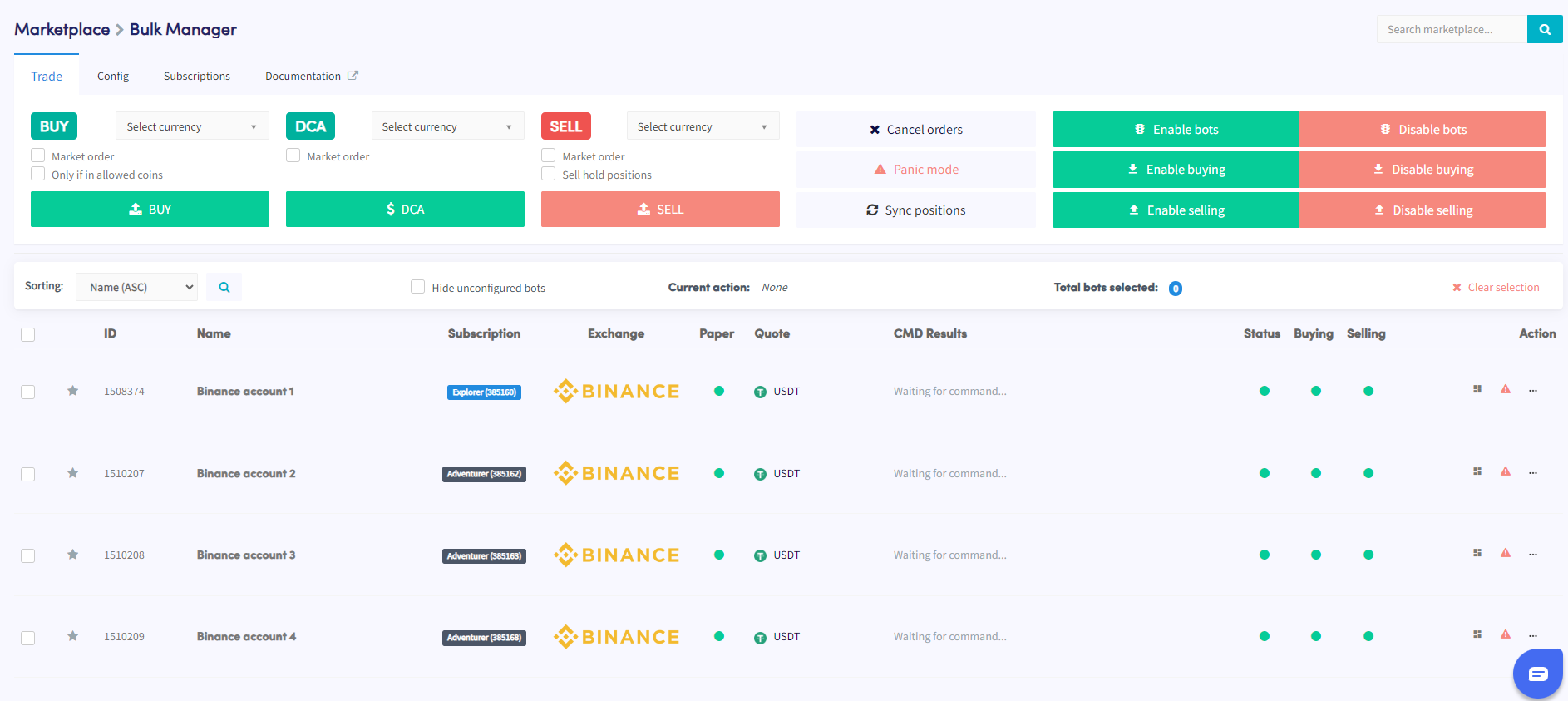
  2. Locate and click on the Bulk Manager option.
  3. Within the Bulk Bot Manager interface, choose the trading bots you wish to manage. You can select multiple bots by utilizing the provided checkboxes.
  4. Determine the type of action you want to perform on the selected bots. There are three available options: trade, config, or subscriptions.
  5. Configure the specific details of the chosen action (trade, config, or subscription). For instance, if you selected the trade action, specify the trade parameters such as the currency pair, buy/sell strategy, and order size.
  6. Execute the action to apply it to the selected bots.
  7. Monitor the Command section in the overview of your bots to verify whether the action has been completed successfully.

By following these steps, you can conveniently manage multiple bots using the Bulk Bot Manager feature. This helps streamline your trading activities and ensures efficient management of your Cryptohopper account.

Feel free to reach out to our support team if you encounter any difficulties or require further assistance while utilizing the Bulk Bot Manager. We are here to assist you in making the most out of Cryptohopper's features.

Bu makale yardımcı oldu mu?

İçindekiler

Yardıma mı ihtiyacın var?

Sorunun cevabını bulamıyor musun?S.S.S.'ye BakDestek ile iletişime geç

Cryptohopper ile ücretsiz işlem yapmaya başla!

Kullanımı ücretsiz – kredi kartı gerekmiyor

Let's get started
Yakında yeni uygulamalar geliyor!