Hoe je de bulk bot manager gebruikt
Deze gids laat je zien hoe je meerdere bots tegelijkertijd beheert met de bulk bot manager.
Vereisten
- Een actief Cryptohopper-account.
- Minimaal 3 botabonnementen.
Stappen
- Ga naar de marktplaats en selecteer de sectie "Apps".
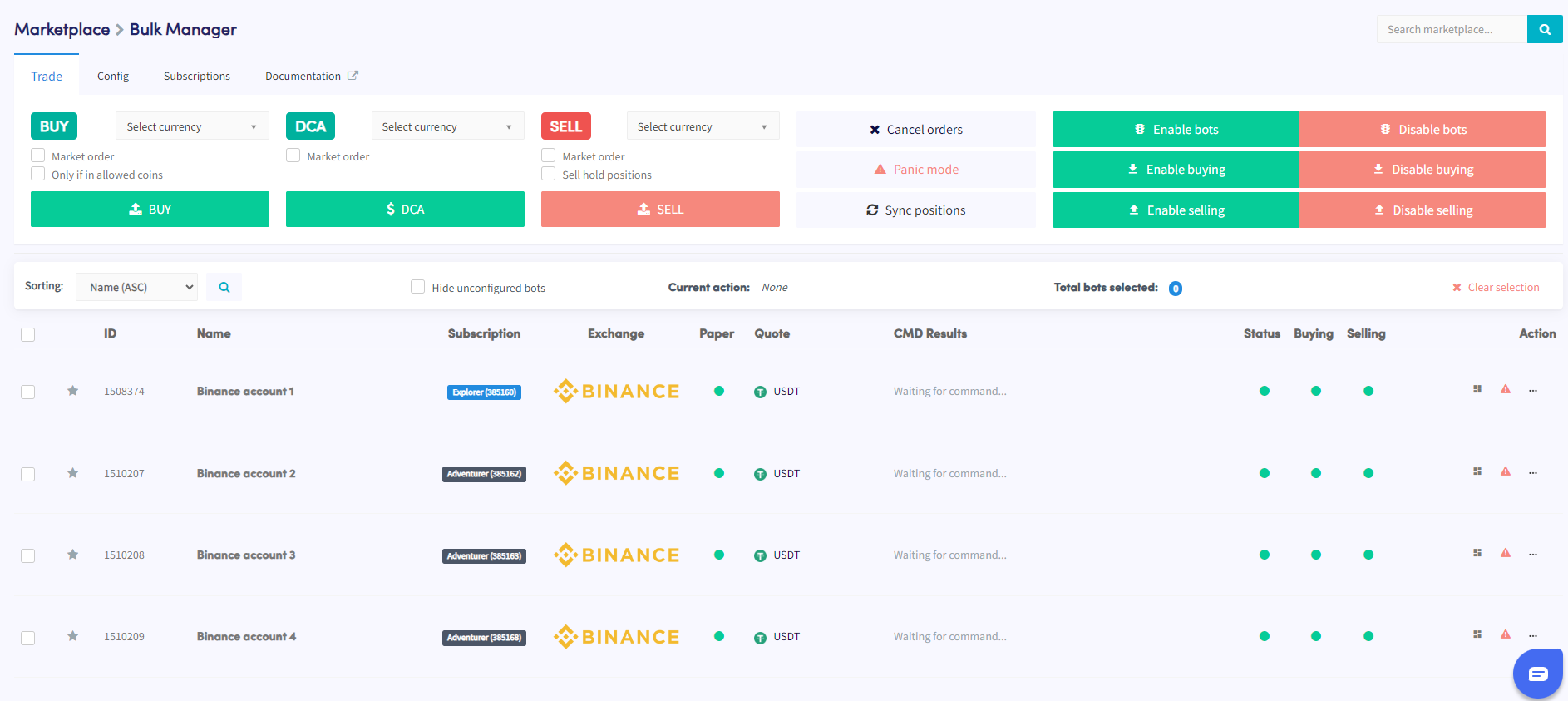
- Klik op de Bulk Manager.
- Selecteer de handelsbots die je wilt beheren met de selectievakjes.
- Kies het type actie dat je wilt uitvoeren — trade, config, of subscriptions.
- Configureer de details van de gekozen actie — bijvoorbeeld, als je Trade hebt geselecteerd, specificeer dan het valutapaar, de koop-/verkoopstrategie en de ordergrootte.
- Voer de actie uit om deze toe te passen op de geselecteerde bots.
- Controleer de sectie Command in je botoverzicht om te verifiëren of de actie succesvol is voltooid.
tip
Hulp nodig bij het gebruik van de bulk bot manager? Stuur ons een e-mail op [email protected].