Como configurar um sinal
Este guia mostra como assinar um sinalizador e configurá-lo para funcionar com seu bot de trading.
Pré-requisitos
- Uma assinatura Cryptohopper Explorer, Adventurer ou Hero.
Etapas
Assinar um sinalizador
- Faça login na sua conta Cryptohopper.
- Clique em "Marketplace".
- Clique em "Sinais".
- Escolha um sinalizador. Não tem certeza de qual escolher? Veja como selecionar um sinalizador ?
- Clique nesse sinalizador.
- Clique em "Assinar" ou "Comprar" e conclua o pagamento, se necessário.
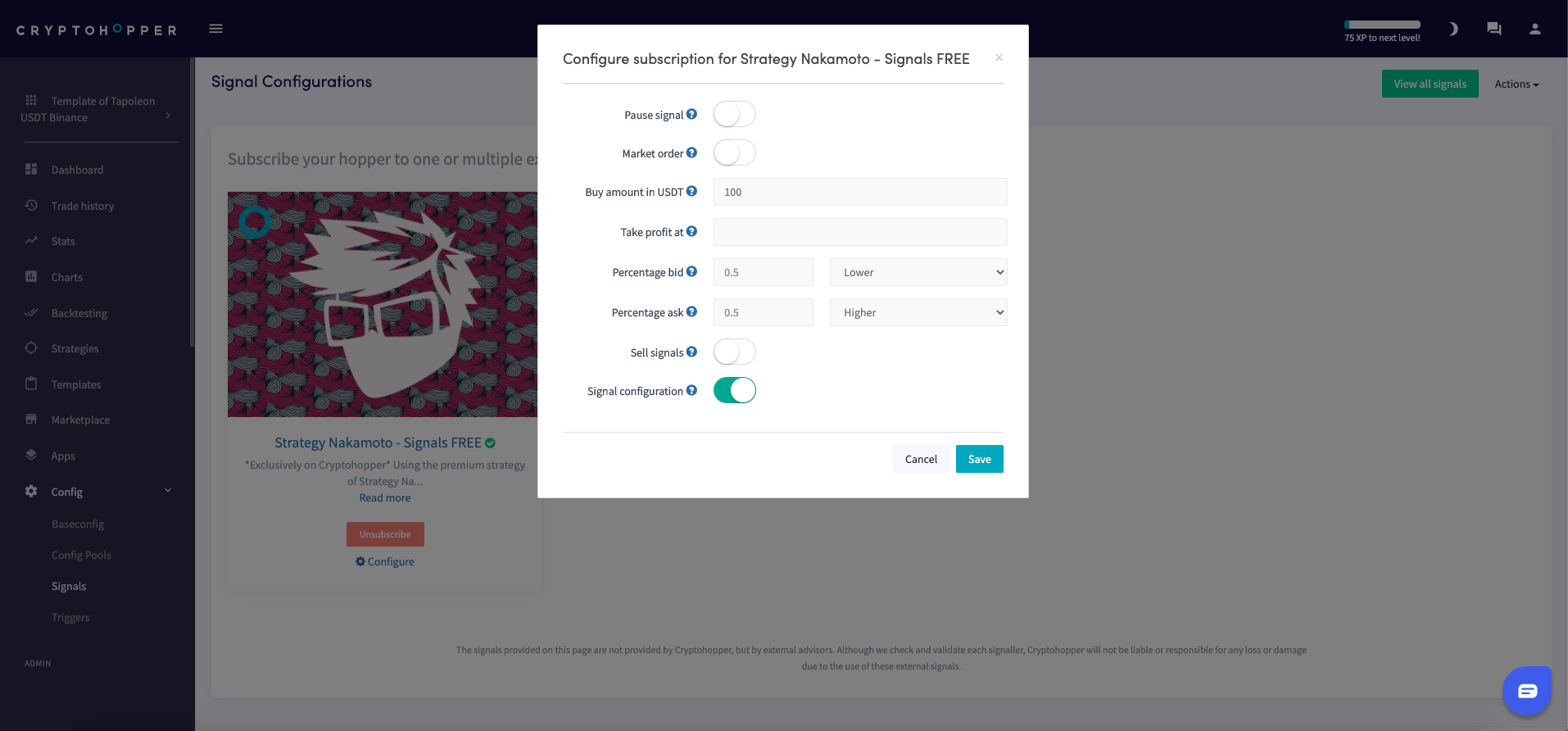
- Clique em "Configurar".
- Configure as configurações do sinal. (Opcional)
- Clique em "Salvar".
Adicionar o sinal ao seu bot
- Clique em "Meus bots" e abra o bot onde você deseja adicionar o sinal.
- Clique em "Configuração" e depois em "Configuração base".
- Selecione as moedas que você deseja negociar. Revise o relatório de desempenho do sinalizador para confirmar que os sinais foram enviados para sua moeda de cotação, suas moedas selecionadas em "Moedas e quantidades" e a corretora que você está usando.
- Clique em "Estratégia".
- Ative a opção "Apenas sinais" somente se você quiser confiar exclusivamente em sinais. Se fizer isso, preencha também "Número de alvos para comprar". Caso contrário, deixe desativado.
- Clique em "Salvar".
dica
Se você usar acionadores para carregar diferentes modelos, você deve assinar o sinalizador em ambos os modelos — os sinais não serão recebidos quando seu bot mudar para um modelo que não tenha a assinatura. Consulte Configurações de sinais para mais detalhes.