Comment configurer un Signal
Ce guide te montre comment t'abonner à un Signaleur et le configurer pour qu'il fonctionne avec ton trading bot.
Conditions
- Un abonnement Cryptohopper Explorer, Adventurer ou Hero.
Étapes
S'abonner à un Signaleur
- Connecte-toi à ton compte Cryptohopper.
- Clique sur "Marketplace".
- Clique sur "Signaux".
- Choisis un Signaleur. Tu n'es pas sûr lequel choisir ? Voir comment sélectionner un Signaleur ?
- Clique sur ce Signaleur.
- Clique sur "S'abonner" ou "Acheter" et complète le paiement si nécessaire.
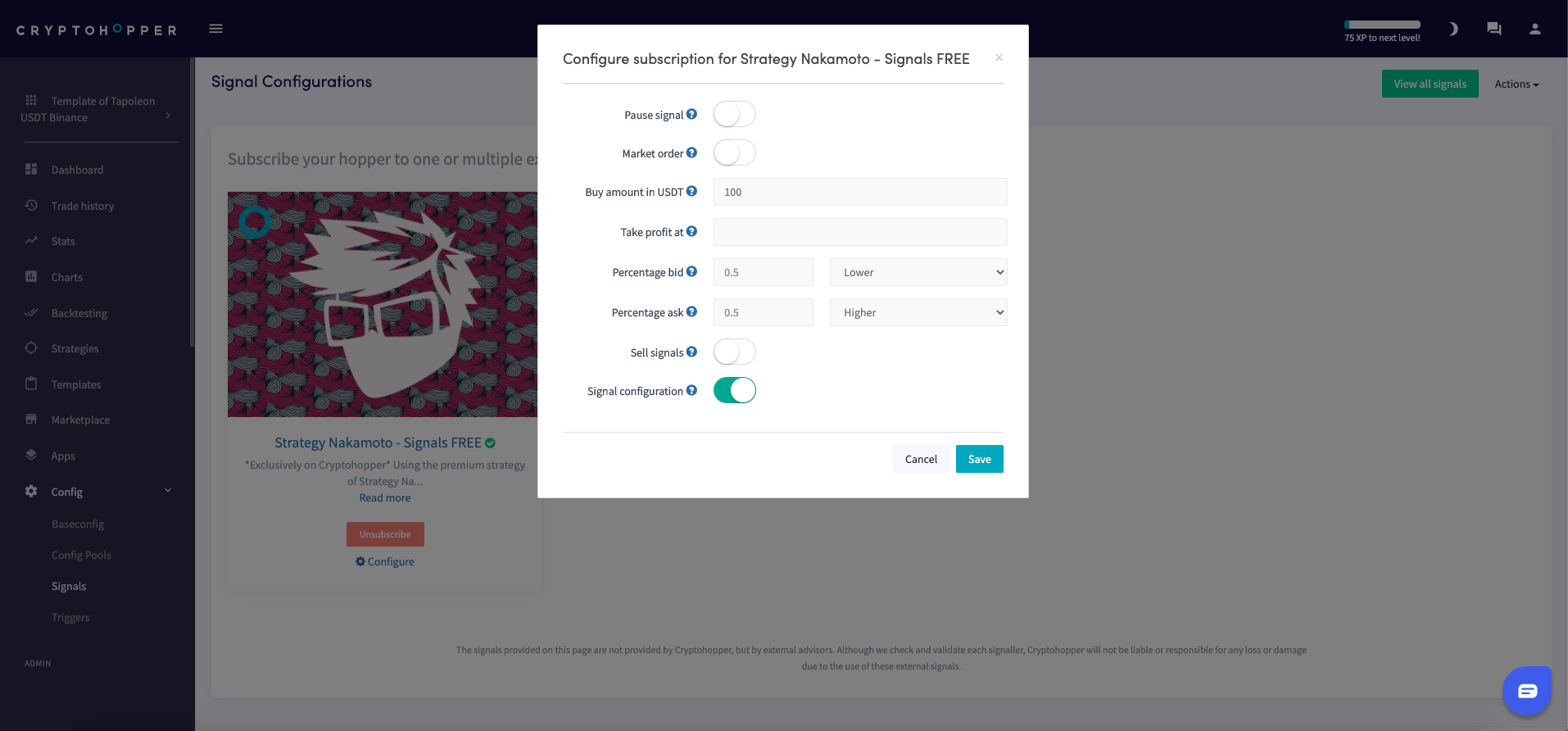
- Clique sur "Configurer".
- Configure les paramètres du Signal. (Optionnel)
- Clique sur "Enregistrer".
Ajouter le Signal à ton bot
- Clique sur "Mes bots" et ouvre le bot auquel tu veux ajouter le Signal.
- Clique sur "Configuration" puis "Config. de base".
- Sélectionne les monnaies que tu veux trader. Consulte le rapport de performance du Signaleur pour confirmer que des signaux ont été envoyés pour ta devise de cotation, tes monnaies sélectionnées sous "Monnaies et montants", et l'exchange que tu utilises.
- Clique sur "Stratégie".
- Active l'option "Signaux uniquement" seulement si tu veux te fier exclusivement aux signaux. Si tu le fais, remplis également "Nombre de cibles à acheter". Sinon, laisse-la désactivée.
- Clique sur "Enregistrer".
astuce
Si tu utilises des Triggers pour charger différents modèles, tu dois t'abonner au Signaleur dans les deux modèles — les signaux ne seront pas reçus lorsque ton bot bascule vers un modèle qui n'a pas l'abonnement. Voir Paramètres de configuration du Signal pour plus de détails.