Como configurar um CryptoTweeter
aviso
O CryptoTweeter foi descontinuado. Consulte este artigo para mais informações.
Este guia mostra como configurar o CryptoTweeter.
Pré-requisitos
- Uma conta Cryptohopper.
- Uma conta no Twitter.
Etapas
- Acesse sua conta Cryptohopper e clique em "Marketplace".
- Clique em "Apps".
- Clique em "CryptoTweeter".
- Selecione o que você deseja conectar.
- Faça login com o Cryptohopper. Isso inicia o processo de autenticação OAuth, que permite ao Cryptohopper ler dados e postar tweets em seu nome.
- Aprove a autenticação.
- Conecte-se com o Twitter.
- Selecione o bot que você deseja usar para tuitar.
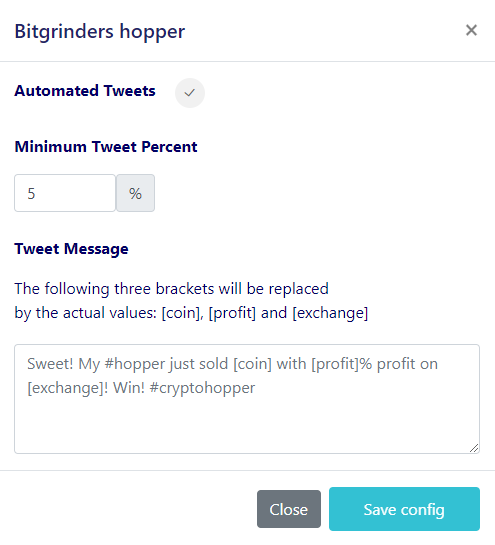
- Selecione suas porcentagens.
- Crie sua mensagem no Twitter.