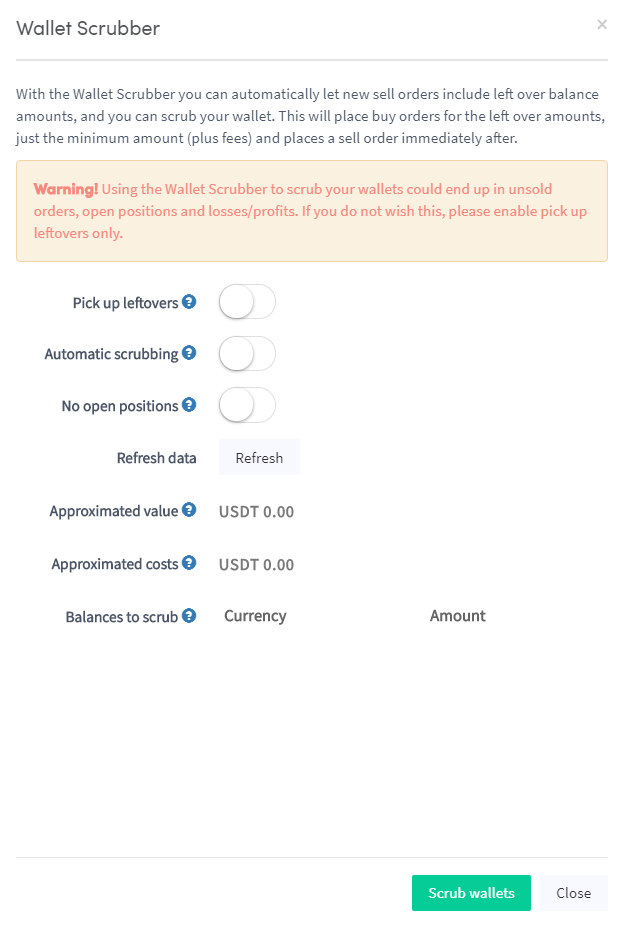
Como configurar um Verificador de Carteira
Este guia mostra como configurar e usar o Verificador de Carteira.
Pré-requisitos
- Uma conta Cryptohopper.
Opção 1 — Via o Marketplace
- Faça login na sua conta Cryptohopper.
- Clique em "Marketplace".
- Clique em "Apps".
- Clique em "Verificador de Carteira".
- Configure as definições do Verificador de Carteira.
- Clique em "Verificar Carteira".
Opção 2 — Via o Painel de Controle
- Acesse seu Painel de Controle Cryptohopper.
- Role para baixo até a seção "Ativos Atuais".
- Clique em "Verificador de Carteira".
- Preencha todos os campos obrigatórios.
- Clique em "Verificar Carteira".