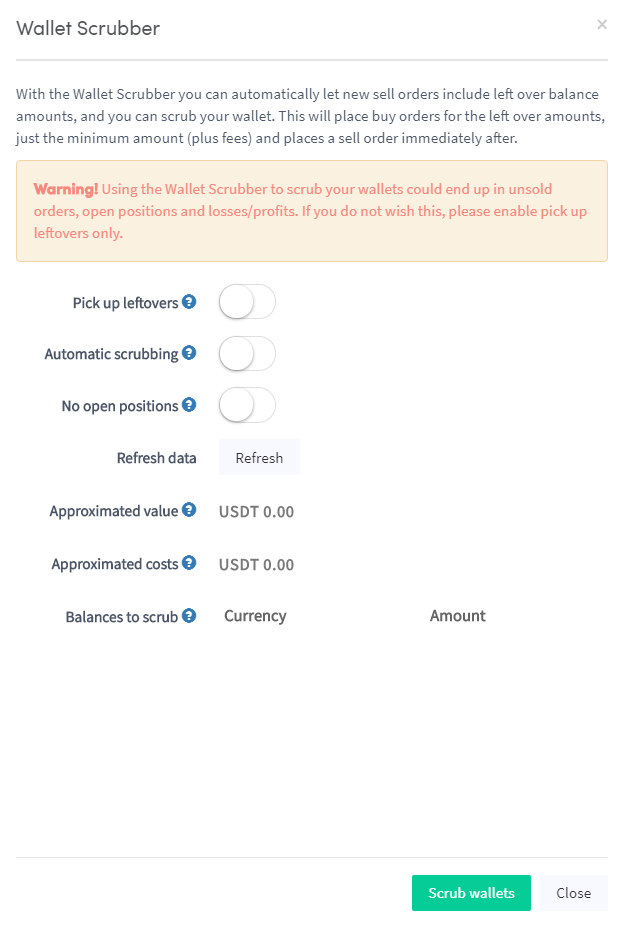
Come configurare un Wallet Scrubber
Questa guida ti mostra come configurare e utilizzare il Wallet Scrubber.
Prerequisiti
Opzione 1 — Tramite il Marketplace
- Accedi al tuo account Cryptohopper.
- Clicca su "Marketplace".
- Clicca su "Apps".
- Clicca su "Wallet Scrubber".
- Configura le impostazioni del Wallet Scrubber.
- Clicca su "Scrub Wallet".
Opzione 2 — Tramite la Dashboard
- Vai alla tua Dashboard di Cryptohopper.
- Scorri verso il basso fino alla sezione "Current Assets".
- Clicca su "Wallet Scrubber".
- Compila tutti i campi richiesti.
- Clicca su "Scrub Wallet".