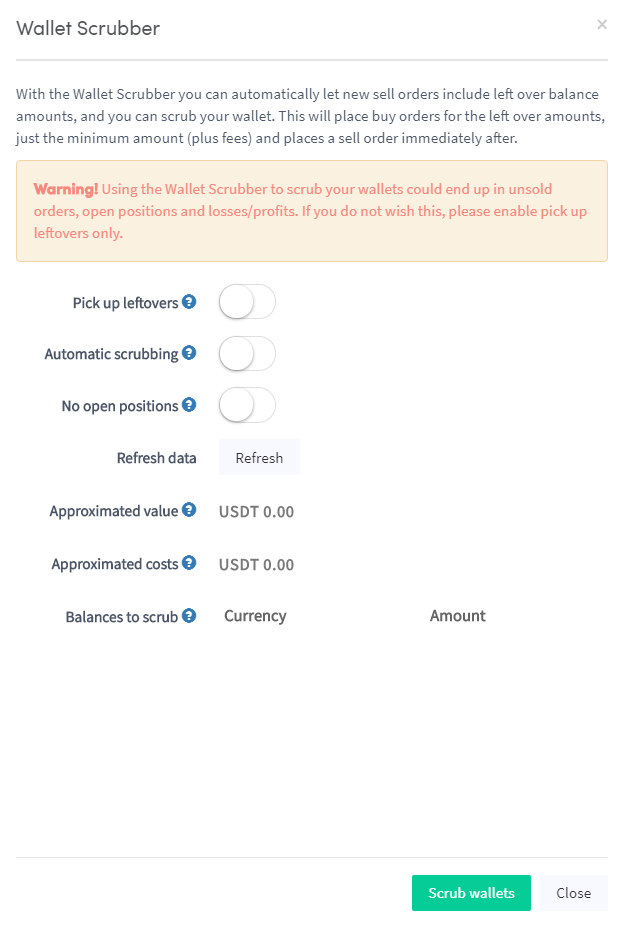
Jak skonfigurować Wallet Scrubber
Ten przewodnik pokazuje, jak skonfigurować i używać Wallet Scrubber.
Wymagania wstępne
Opcja 1 — Przez Rynek
- Zaloguj się na swoje konto Cryptohopper.
- Kliknij "Rynek".
- Kliknij "Aplikacje".
- Kliknij "Wallet Scrubber".
- Skonfiguruj ustawienia Wallet Scrubber.
- Kliknij "Scrub Wallet".
Opcja 2 — Przez Pulpit Nawigacyjny
- Przejdź do swojego Pulpitu Nawigacyjnego Cryptohopper.
- Przewiń w dół do sekcji "Aktualne Aktywa".
- Kliknij "Wallet Scrubber".
- Wypełnij wszystkie wymagane pola.
- Kliknij "Scrub Wallet".