Comment configurer un Wallet Scrubber
Ce guide te montre comment configurer et utiliser le Wallet Scrubber.
Conditions
Option 1 — Via le Marketplace
- Connecte-toi à ton compte Cryptohopper.
- Clique sur "Marketplace".
- Clique sur "Apps".
- Clique sur "Wallet Scrubber".
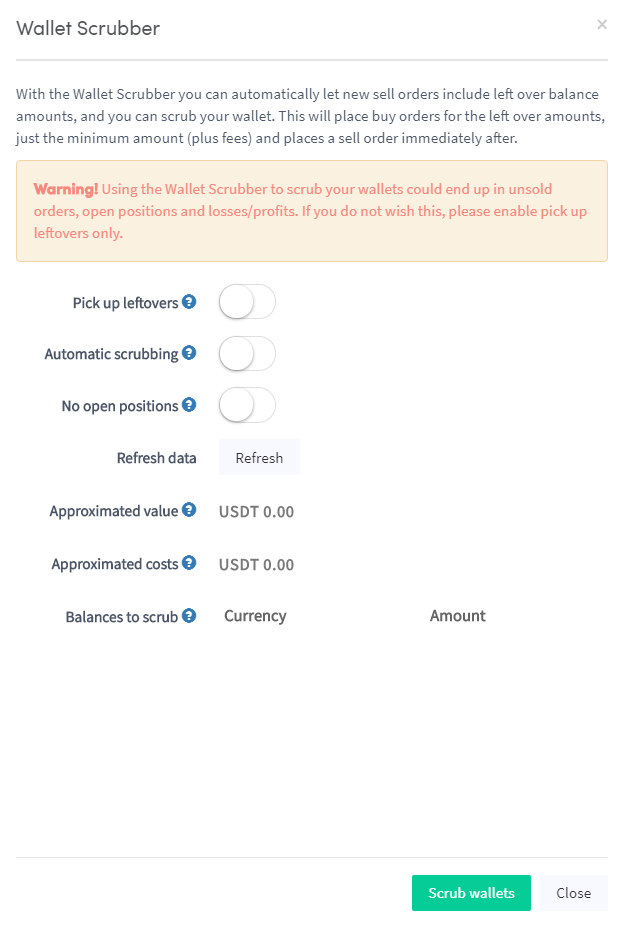
- Configure les paramètres du Wallet Scrubber.
- Clique sur "Scrub Wallet".
Option 2 — Via le Tableau de bord
- Accède à ton Tableau de bord Cryptohopper.
- Fais défiler jusqu'à la section "Current Assets".
- Clique sur "Wallet Scrubber".
- Remplis tous les champs requis.
- Clique sur "Scrub Wallet".