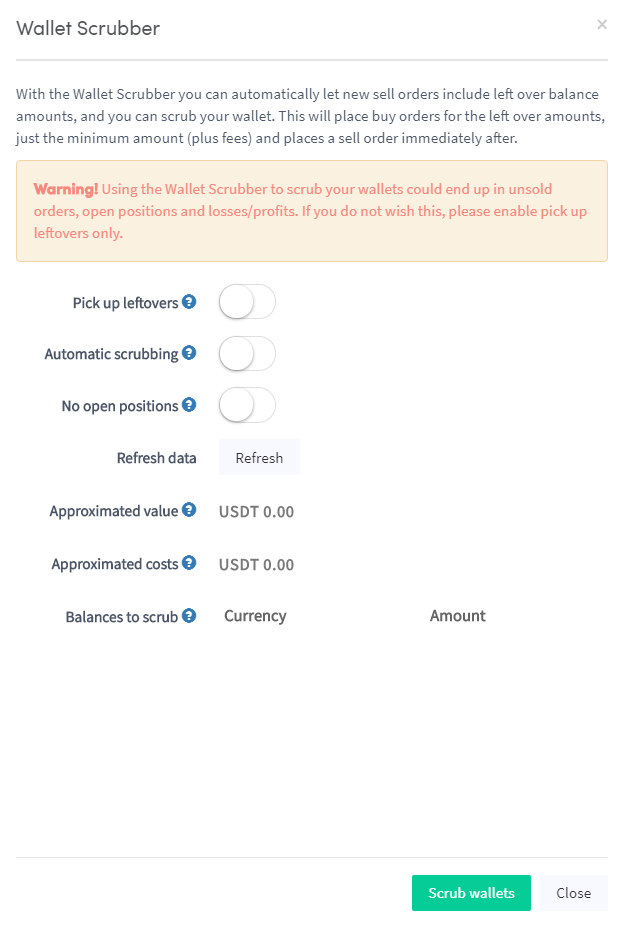
Wie du einen Walletscrubber einrichtest
Diese Anleitung zeigt dir, wie du den Walletscrubber einrichtest und verwendest.
Voraussetzungen
- Ein Cryptohopper-Konto.
Option 1 — Über den Marketplace
- Melde dich in deinem Cryptohopper-Konto an.
- Klicke auf "Marketplace".
- Klicke auf "Apps".
- Klicke auf "Wallet Scrubber".
- Konfiguriere die Walletscrubber-Einstellungen.
- Klicke auf "Scrub Wallet".
Option 2 — Über das Dashboard
- Gehe zu deinem Cryptohopper Dashboard.
- Scrolle nach unten zum Abschnitt "Current Assets".
- Klicke auf "Wallet Scrubber".
- Fülle alle erforderlichen Felder aus.
- Klicke auf "Scrub Wallet".