Cómo configurar un CryptoTweeter
advertencia
El CryptoTweeter ha sido descontinuado. Consulta este artículo para más información.
Esta guía te muestra cómo configurar el CryptoTweeter.
Prerrequisitos
- Una cuenta de Cryptohopper.
- Una cuenta de Twitter.
Pasos
- Ve a tu cuenta de Cryptohopper y haz clic en "Marketplace".
- Haz clic en "Apps".
- Haz clic en "CryptoTweeter".
- Selecciona lo que quieres conectar.
- Inicia sesión con Cryptohopper. Esto inicia el proceso de autenticación OAuth, que permite a Cryptohopper leer datos y publicar tweets en tu nombre.
- Aprueba la autenticación.
- Conéctate con Twitter.
- Selecciona el bot que quieres usar para tuitear.
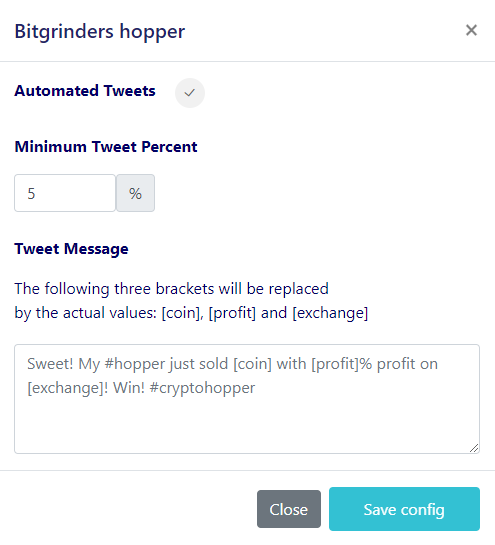
- Selecciona tus porcentajes.
- Crea tu mensaje de Twitter.