Jak skonfigurować CryptoTweeter
ostrzeżenie
CryptoTweeter został wycofany. Zobacz ten artykuł dla więcej informacji.
Ten przewodnik pokazuje jak skonfigurować CryptoTweeter.
Wymagania wstępne
- Konto Cryptohopper.
- Konto Twitter.
Kroki
- Przejdź do swojego konta Cryptohopper i kliknij "Rynek".
- Kliknij "Aplikacje".
- Kliknij "CryptoTweeter".
- Wybierz co chcesz połączyć.
- Zaloguj się do Cryptohopper. To rozpoczyna proces uwierzytelniania OAuth, który pozwala Cryptohopper czytać dane i publikować tweety w twoim imieniu.
- Zatwierdź uwierzytelnienie.
- Połącz się z Twitter.
- Wybierz bota którego chcesz użyć do tweetowania.
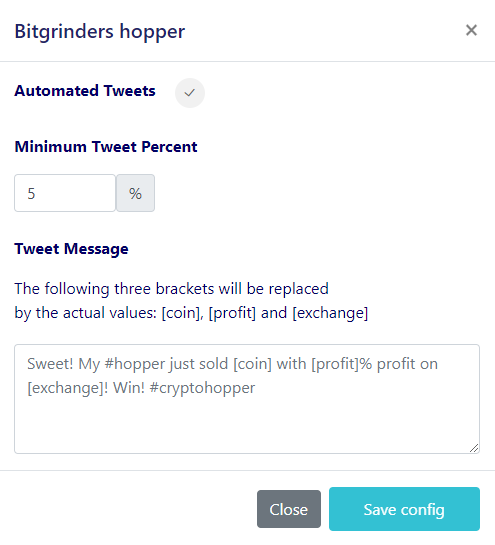
- Wybierz swoje wartości procentowe.
- Utwórz swoją wiadomość na Twitterze.