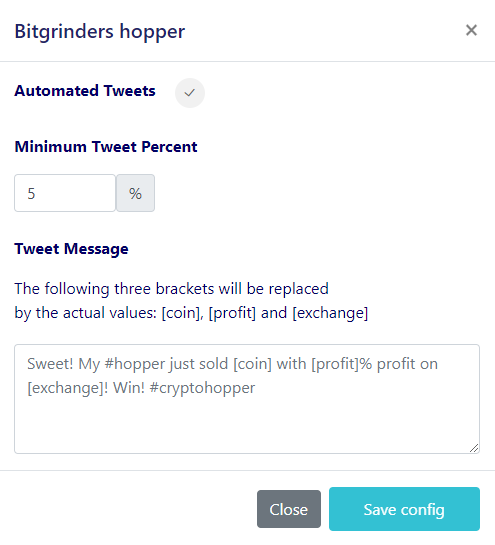
Hoe je een CryptoTweeter instelt
waarschuwing
De CryptoTweeter is stopgezet. Zie dit artikel voor meer informatie.
Deze gids laat je zien hoe je de CryptoTweeter instelt.
Vereisten
- Een Cryptohopper-account.
- Een Twitter-account.
Stappen
- Ga naar je Cryptohopper-account en klik op "Marktplaats".
- Klik op "Apps".
- Klik op "CryptoTweeter".
- Selecteer wat je wilt verbinden.
- Log in met Cryptohopper. Dit start het OAuth-authenticatieproces, waarmee Cryptohopper gegevens kan lezen en tweets namens jou kan plaatsen.
- Keur de authenticatie goed.
- Verbind met Twitter.
- Selecteer de bot die je wilt gebruiken voor tweeten.
- Selecteer jouw percentages.
- Maak jouw Twitter-bericht aan.