Come configurare CryptoTweeter
avviso
Il CryptoTweeter è stato dismesso. Consulta questo articolo per maggiori informazioni.
Questa guida ti mostra come configurare il CryptoTweeter.
Prerequisiti
- Un account Cryptohopper.
- Un account Twitter.
Passaggi
- Vai al tuo account Cryptohopper e clicca su "Marketplace".
- Clicca su "Apps".
- Clicca su "CryptoTweeter".
- Seleziona ciò che vuoi connettere.
- Accedi con Cryptohopper. Questo avvia il processo di autenticazione OAuth, che consente a Cryptohopper di leggere i dati e pubblicare tweet per tuo conto.
- Approva l'autenticazione.
- Connettiti con Twitter.
- Seleziona il bot che vuoi utilizzare per pubblicare tweet.
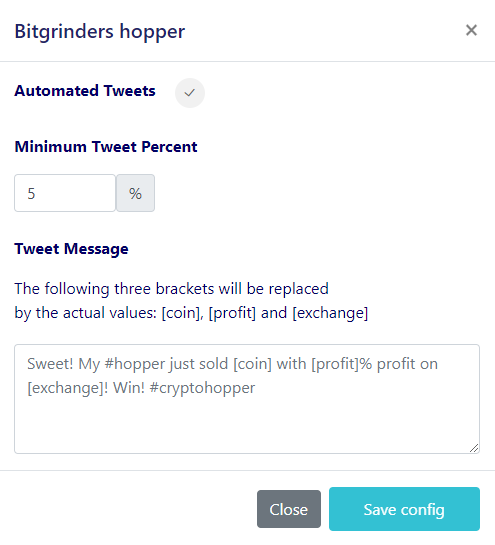
- Seleziona le tue percentuali.
- Crea il tuo messaggio Twitter.