Hoe betaal je met Credits
Deze handleiding laat je zien hoe je een Cryptohopper-abonnement betaalt met Credits.
Vereisten
- Een Cryptohopper-account.
- Bereidheid om een abonnement te kopen met Cryptohopper Credits.
- Let op: credits zijn niet terugbetaalbaar.
Stappen
- Log in op je Cryptohopper-account.
- Klik op "Abonnementen".
- Controleer je creditsaldo rechtsboven op de pagina.
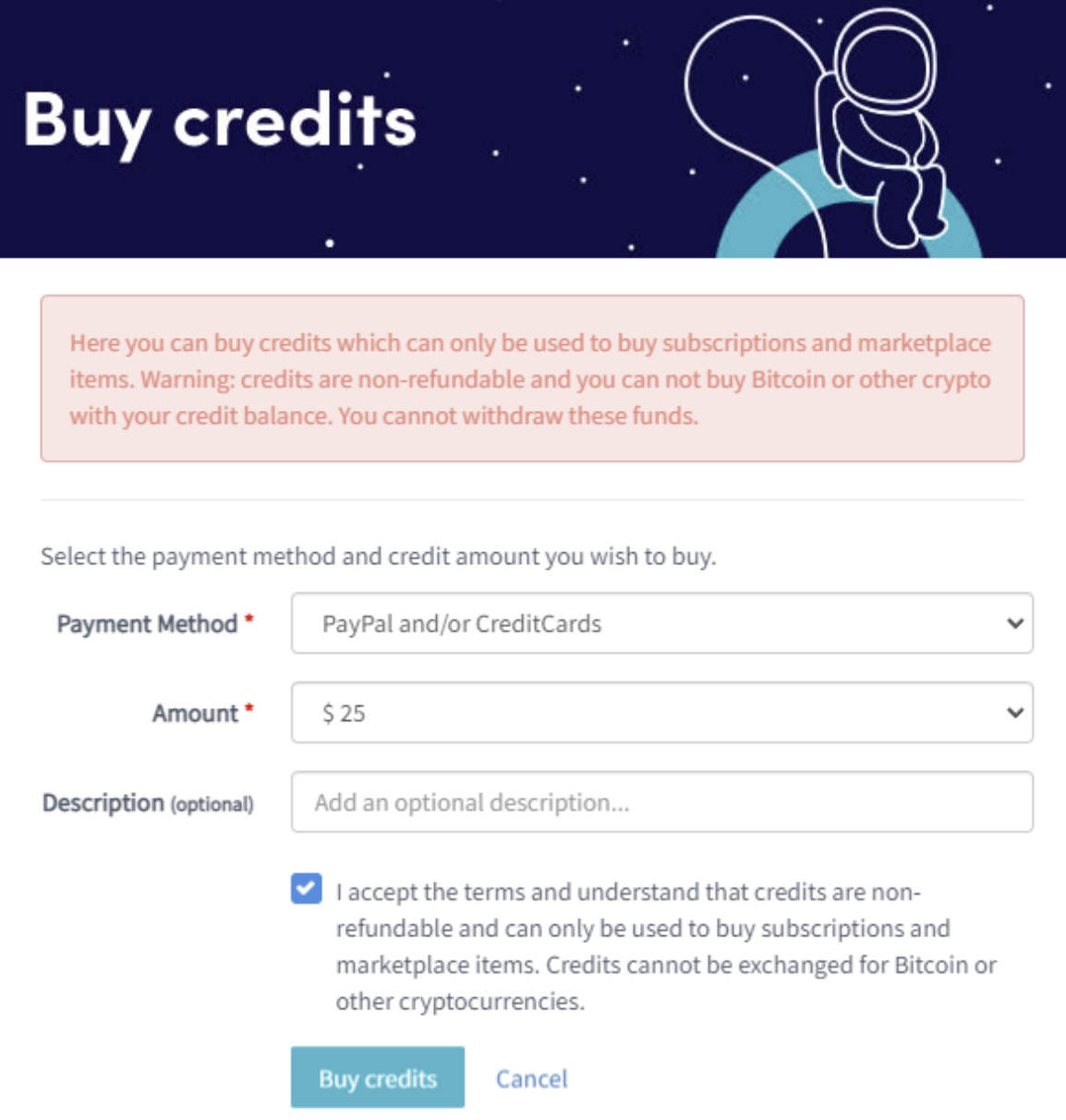
- Als je geen credits hebt of niet genoeg, klik op "Kopen".
- Vul de vereiste velden in.
- Lees de disclaimer en accepteer de voorwaarden. Let op: credits zijn niet terugbetaalbaar.
- Klik op "Credits kopen". Je wordt doorgestuurd naar je geselecteerde betaalmethode.
- Voltooi de betaling.
- Zodra je voldoende credits hebt, klik op "Nieuw abonnement".
- Klik op "Nu abonneren" bij het abonnement dat je wilt.
- Selecteer de betalingstermijn door op "Betalen met saldo" te klikken.
- Klik op "Voltooi je bestelling".
- Je ontvangt een bevestigingsmail met alle details.