Hoe maak je een cadeaukaart aan
Deze gids laat je zien hoe je een Cryptohopper cadeaukaart aanmaakt en activeert.
Vereisten
- Een Cryptohopper-account.
Stappen
Maak de cadeaukaart aan
- Log in op jouw Cryptohopper account.
- Klik op "Marktplaats".
- Klik op "Cadeaukaarten".
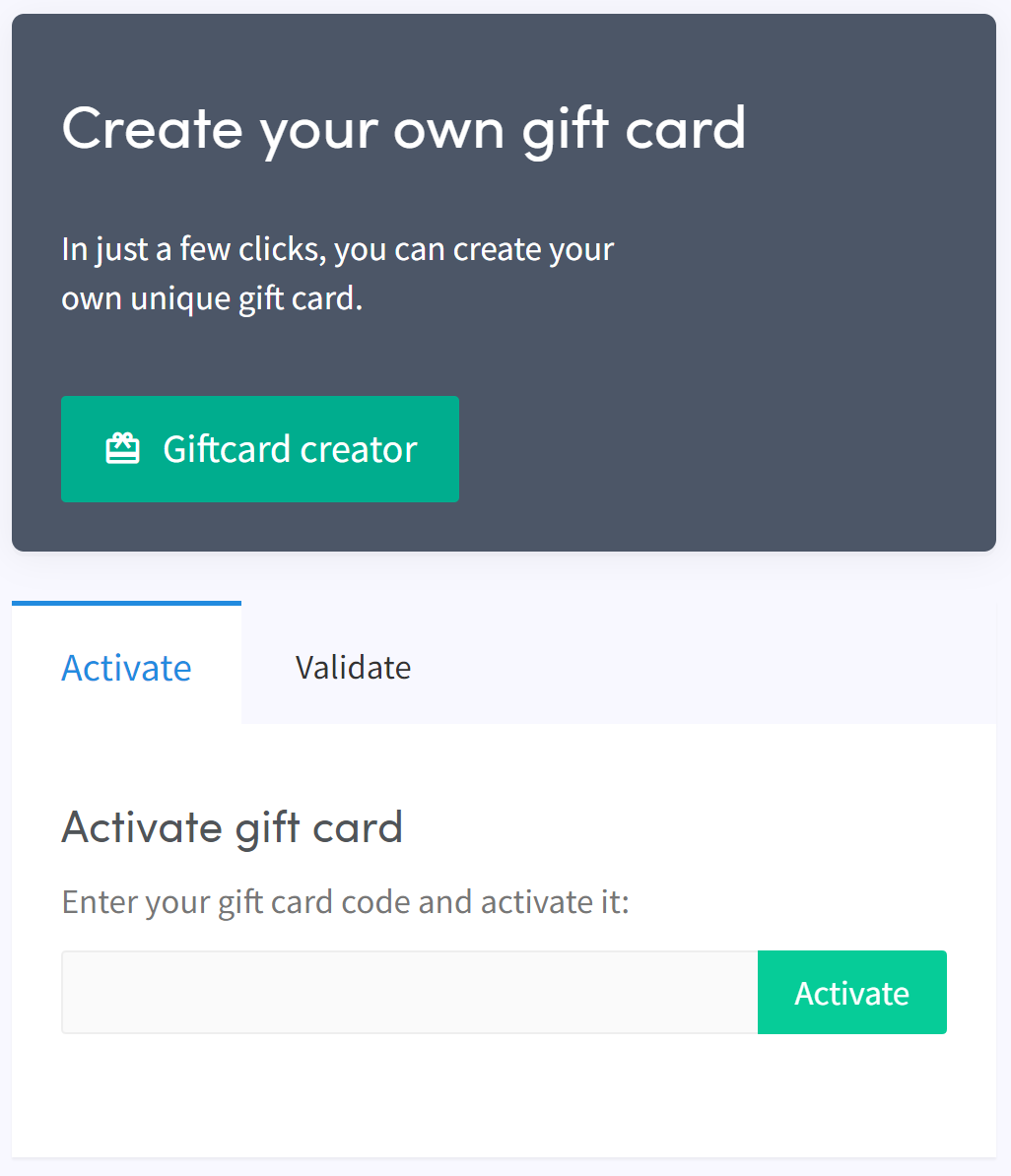
- Klik op "Cadeaukaart maker".
- Kies een afbeelding en klik op "Volgende".
- Selecteer het type cadeaukaart en vul de waarde in, klik vervolgens op "Volgende".
- Vul een naam in en klik op "Cadeaukaart aanmaken".
- Selecteer jouw gewenste betaalmethode, vink het vakje aan en klik op "Nu betalen". Je wordt doorgestuurd naar jouw betalingsprovider.
- Voltooi de betaling.
Activeer de cadeaukaart
- Klik op "Abonnementen".
- Klik op "Cadeaukaarten".
- Voer de code in die je per e-mail hebt ontvangen en klik op "Activeren".
waarschuwing
Na aankoop kan de cadeaukaart door jou worden gebruikt of aan iemand anders worden gegeven. De code moet worden geactiveerd voordat deze kan worden gebruikt.