Come pagare con i Crediti
Questa guida ti mostra come pagare un abbonamento Cryptohopper utilizzando i Crediti.
Prerequisiti
- Un account Cryptohopper.
- Disponibilità ad acquistare un abbonamento utilizzando i Crediti Cryptohopper.
- Nota: i crediti non sono rimborsabili.
Passaggi
- Accedi al tuo account Cryptohopper.
- Clicca su "Subscriptions".
- Controlla il tuo saldo crediti nell'area in alto a destra della pagina.
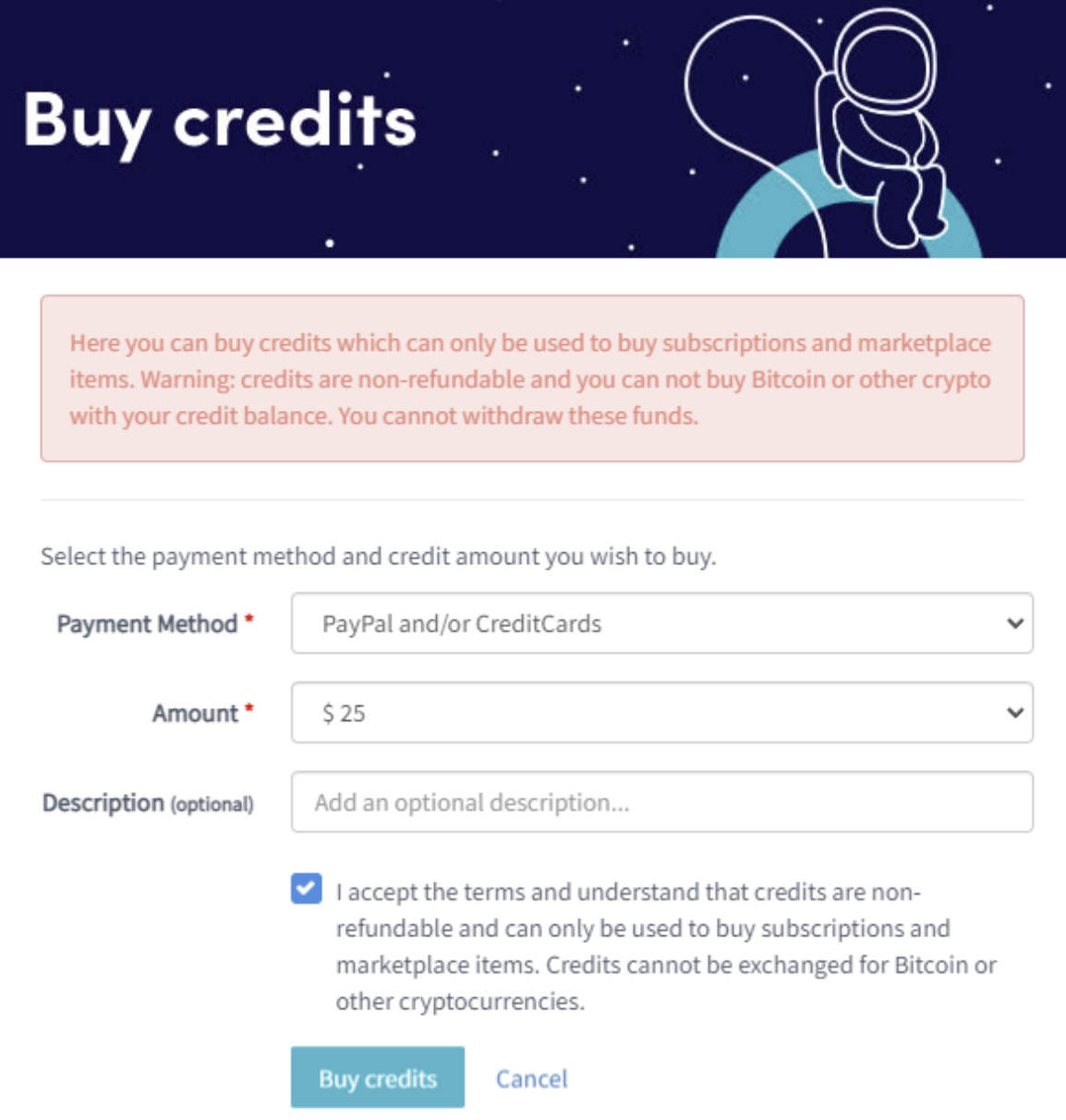
- Se non hai crediti o non ne hai abbastanza, clicca su "Buy".
- Compila i campi richiesti.
- Leggi la dichiarazione di responsabilità e accetta i termini. Nota: i crediti non sono rimborsabili.
- Clicca su "Buy credits". Verrai reindirizzato al metodo di pagamento selezionato.
- Completa il pagamento.
- Una volta che hai crediti sufficienti, clicca su "New subscription".
- Clicca su "Subscribe now" sull'abbonamento che desideri.
- Seleziona il periodo di pagamento cliccando su "Pay with balance".
- Clicca su "Complete your order".
- Riceverai un'email di conferma con tutti i dettagli.