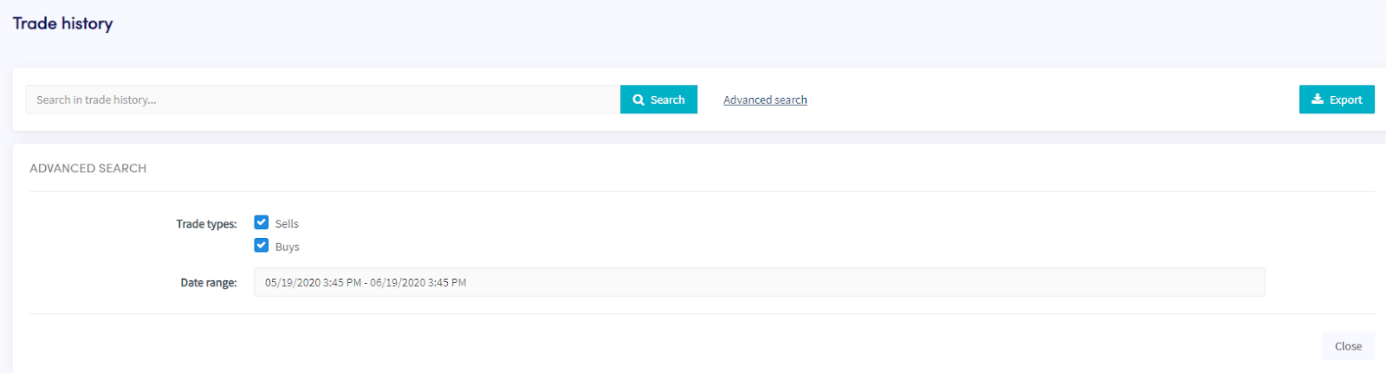
Come scaricare la cronologia trades
Questa guida ti mostra come esportare la tua cronologia trades nel formato che preferisci.
Prerequisiti
- Un account Cryptohopper.
- Un abbonamento Explorer, Adventurer o Hero subscription.
- Almeno alcuni trade completati con il tuo trading bot.
Passaggi
- Nel menu in alto a sinistra, clicca su "I miei bot".
- Clicca su "Visualizza tutti".
- Clicca sul bot di cui vuoi scaricare la cronologia trades.
- Clicca su "Cronologia trades".
- Clicca su "Esporta".
- Seleziona il tipo di file che vuoi esportare (Excel, CSV o PDF).
- Seleziona i "Tipi di trade" che vuoi includere nell'esportazione.
- Seleziona l'"Intervallo di date" che vuoi esportare.
- Clicca su "Esporta".
- Rivedi i trades che il tuo bot ha effettuato.