Jak pobrać historię transakcji
Ten przewodnik pokazuje, jak wyeksportować historię transakcji w preferowanym formacie.
Wymagania wstępne
- Konto Cryptohopper.
- Subskrypcja Explorer, Adventurer lub Hero subscription.
- Co najmniej kilka zakończonych transakcji z twoim botem handlowym.
Kroki
- W menu w lewym górnym rogu kliknij „Moje boty".
- Kliknij „Wyświetl wszystkie".
- Kliknij bota, którego historię transakcji chcesz pobrać.
- Kliknij „Historia transakcji".
- Kliknij „Eksportuj".
- Wybierz typ pliku, który chcesz wyeksportować (Excel, CSV lub PDF).
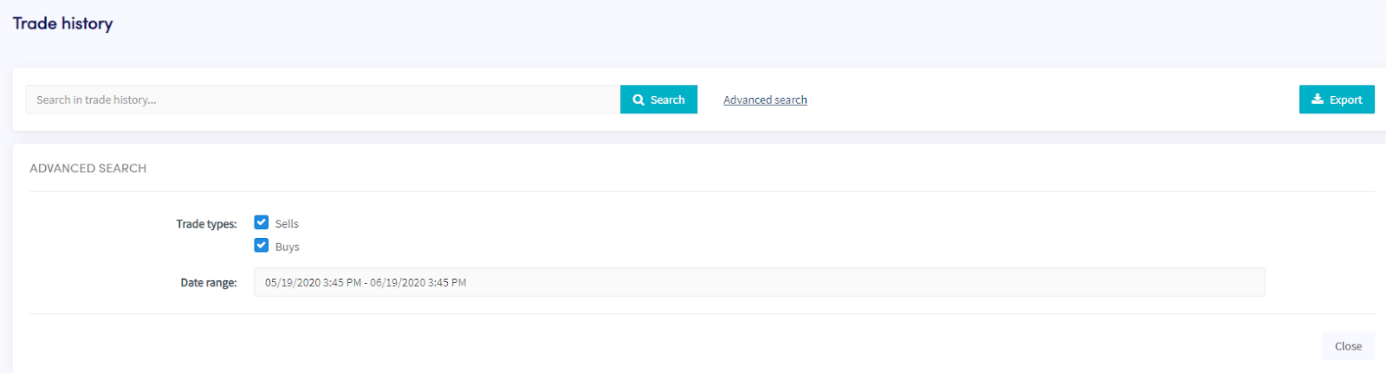
- Wybierz „Typy transakcji", które chcesz uwzględnić w eksporcie.
- Wybierz „Zakres dat", który chcesz wyeksportować.
- Kliknij „Eksportuj".
- Przejrzyj transakcje, które wykonał twój bot.