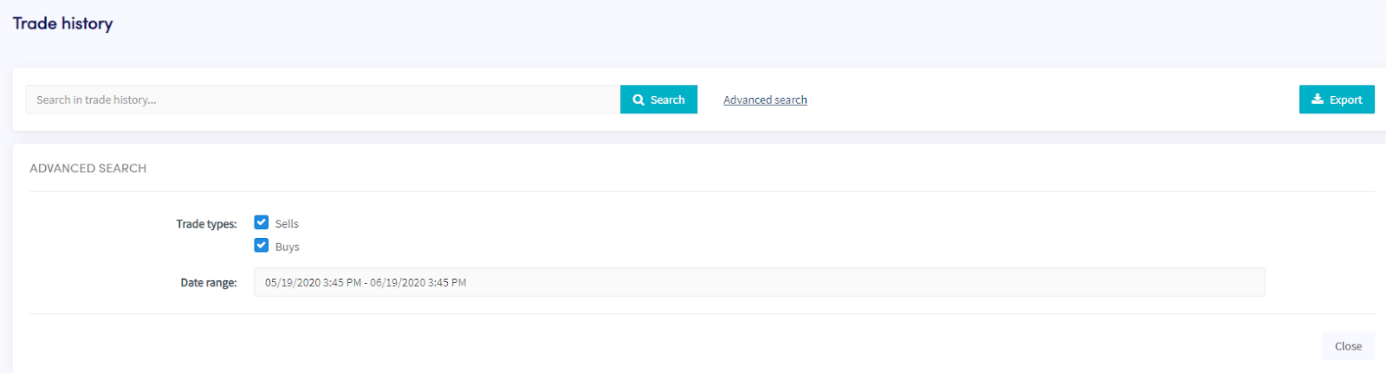
Hoe de handelsgeschiedenis te downloaden
Deze gids laat je zien hoe je jouw handelsgeschiedenis exporteert in jouw voorkeursformaat.
Vereisten
- Een Cryptohopper-account.
- Een Explorer-, Adventurer- of Hero-abonnement.
- Minstens een paar voltooide transacties met jouw handelsbot.
Stappen
- Klik in het menu linksboven op "Mijn bots".
- Klik op "Alles bekijken".
- Klik op de bot waarvan je de handelsgeschiedenis wilt downloaden.
- Klik op "Handelsgeschiedenis".
- Klik op "Exporteren".
- Selecteer het bestandstype dat je wilt exporteren (Excel, CSV of PDF).
- Selecteer de "Transactietypen" die je wilt opnemen in de export.
- Selecteer het "Datumbereik" dat je wilt exporteren.
- Klik op "Exporteren".
- Bekijk de transacties die jouw bot heeft gemaakt.