Wie man eine Geschenkkarte erstellt
Diese Anleitung zeigt dir, wie du eine Cryptohopper-Geschenkkarte erstellst und aktivierst.
Voraussetzungen
- Ein Cryptohopper-Konto.
Schritte
Erstelle die Geschenkkarte
- Melde dich an in deinem Cryptohopper-Konto.
- Klicke auf "Marketplace".
- Klicke auf "Giftcards".
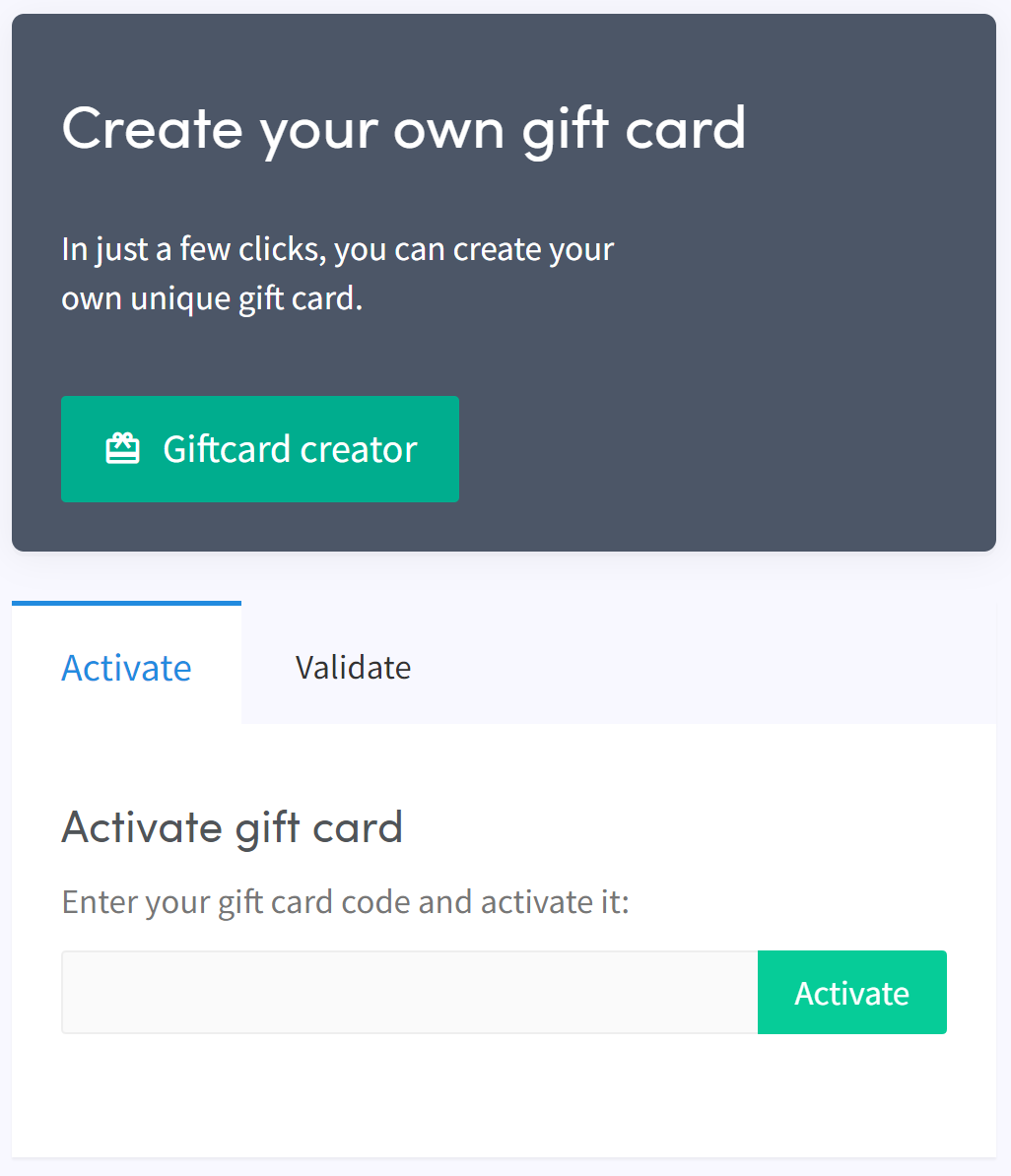
- Klicke auf "Giftcard creator".
- Wähle ein Bild und klicke auf "Next".
- Wähle den Geschenkkarten-Typ aus und gib den Wert ein, dann klicke auf "Next".
- Gib einen Namen ein und klicke auf "Create gift card".
- Wähle deine bevorzugte Zahlungsmethode, setze das Häkchen und klicke auf "Pay now". Du wirst zu deinem Zahlungsanbieter weitergeleitet.
- Schließe die Zahlung ab.
Aktiviere die Geschenkkarte
- Klicke auf "Subscriptions".
- Klicke auf "Giftcards".
- Gib den Code ein, den du per E-Mail erhalten hast, und klicke auf "Activate".
Warnung
Nach dem Kauf kann die Geschenkkarte von dir verwendet oder an jemand anderen verschenkt werden. Der Code muss aktiviert werden, bevor er verwendet werden kann.