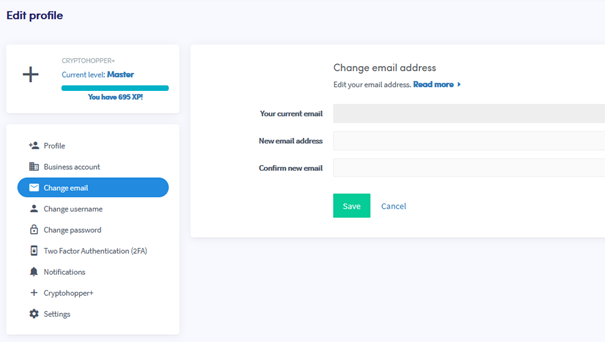
Wie du deine E-Mail-Adresse änderst
Diese Anleitung zeigt dir, wie du die E-Mail-Adresse deines Cryptohopper-Kontos ändern kannst.
Voraussetzungen
- Ein Cryptohopper-Konto.
Schritte
- Melde dich bei deinem Cryptohopper-Konto an.
- Klicke auf das Profil-Symbol in der oberen rechten Ecke.
- Klicke auf "Mein Konto".
- Klicke auf "Benutzerprofil".
- Klicke auf "E-Mail ändern".
- Fülle alle erforderlichen Felder aus.
- Klicke auf "Speichern".
- Bestätige die E-Mail-Änderung, indem du auf die Bestätigungslinks klickst, die an deine alte und neue E-Mail-Adresse gesendet wurden.