Cómo cambiar tu dirección de correo electrónico
Esta guía te muestra cómo cambiar la dirección de correo electrónico en tu cuenta de Cryptohopper.
Prerrequisitos
Pasos
- Inicia sesión en tu cuenta de Cryptohopper.
- Haz clic en el icono de perfil en la esquina superior derecha.
- Haz clic en "Mi cuenta".
- Haz clic en "Perfil de usuario".
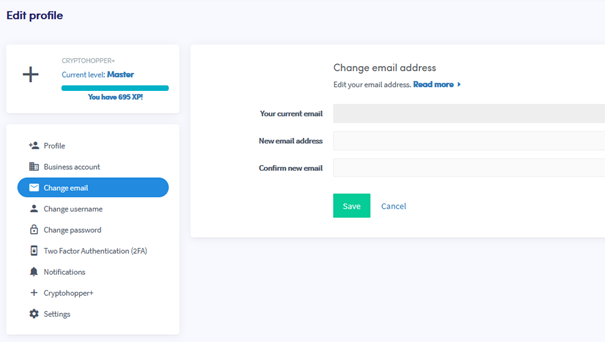
- Haz clic en "Cambiar correo electrónico".
- Completa todos los campos requeridos.
- Haz clic en "Guardar".
- Confirma el cambio de correo electrónico haciendo clic en los enlaces de confirmación enviados tanto a tu dirección de correo electrónico antigua como a la nueva.