How to use your Cryptohopper profile
This guide shows you how to access and change your Cryptohopper profile settings.
Prerequisites
Steps
- Log in to your Cryptohopper account.
- Click the profile button in the top-right corner.
- Click "My account".
- Click "User Profile".
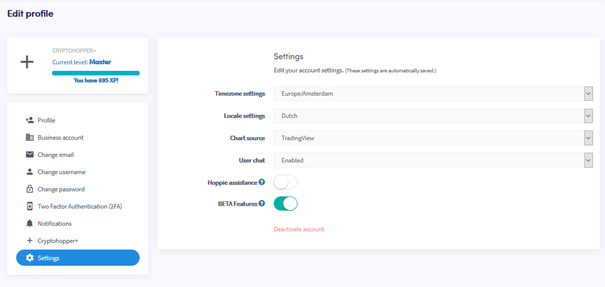
- Click "Settings".
- Change the settings you want to update.